YouTube SEO in 2026: How to Set Up Proper SEO for Your YouTube Videos and Channel and Get Discovered Faster
 |
|

Whether you're sitting on a mountain of unedited videos or just getting started, one question always comes up: How do you actually get discovered on YouTube?
The good news: YouTube is the second-largest search engine in the world, and just like Google, there are clear steps you can take to optimize your content.
While the internet is full of “secret hacks” and overnight growth tricks, real YouTube SEO is a long-term strategy. But with the right approach, you can dramatically shorten the time it takes to build visibility.
In this post, you'll learn what the YouTube algorithm actually prefers in 2026 and how to optimize your videos and channel so they get discovered faster.
What Does YouTube Like?
YouTube, like any search engine, has signals it relies on to understand which videos deserve visibility. Some are obvious; others are buried in the analytics. Below are the most important factors that influence a video's ability to rank in 2026:
High-quality, original content
This may sound obvious, but truly original content has become rarer with the rise of AI-generated video. YouTube continues to surface unique, creative, and human-driven content over rehashed or lightly edited AI material.Recency
Freshness matters. YouTube often prioritizes newer videos because they’re more likely to be relevant. This doesn’t mean older videos can’t rank (they absolutely can), but a steady publishing cadence helps.Click-Through Rate (CTR)
CTR is one of YouTube’s strongest early ranking indicators. High-performing thumbnails, compelling titles, and relevant keywords all contribute to CTR—and YouTube rewards videos that attract clicks.Engagement Signals
Likes, comments, shares, subscriptions, and even creator replies all tell YouTube that people value your content. Consistently responding to your audience strengthens engagement loops and improves visibility.Session Time (Keeping Viewers on YouTube)
YouTube’s goal is to keep users on the platform longer. Videos that generate longer watch sessions or drive viewers to more videos, playlists, or Shorts tend to earn more algorithmic favor.
Now that we have an idea of what YouTube likes, how do we optimize our content for it?
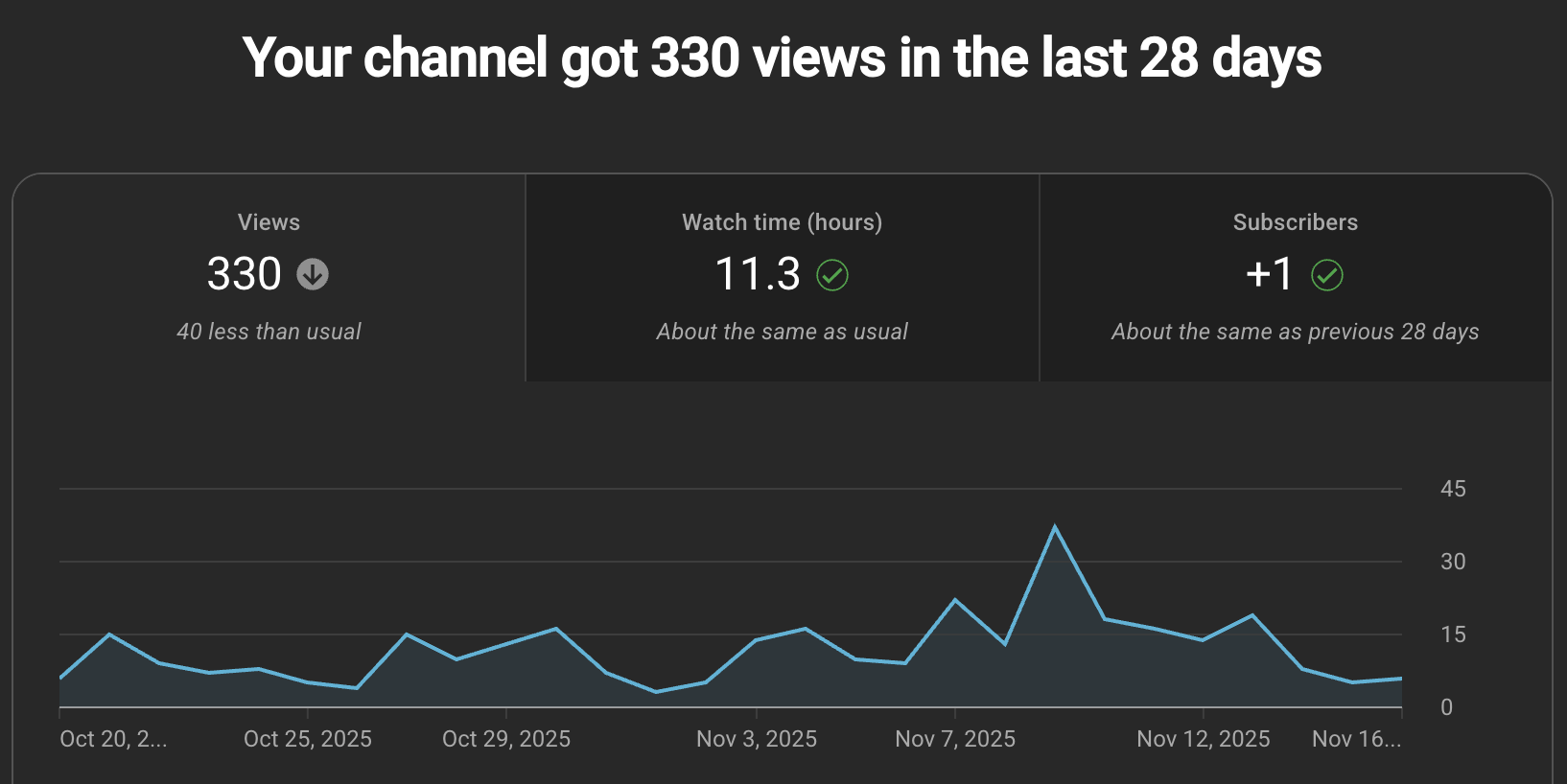
Optimizing Your Content for YouTube
Using Keywords Correctly
If you're familiar with SEO even a little, you're aware of the importance of keywords. However, with video content, this also means that the spoken word matters, in addition to the copy that accompanies it. Proper use of keywords will be a running theme through many of the following items.
Here are simple ways to find strong keywords and phrases for your videos:
Listen to your customers: Your audience already uses the language you need. Pay attention to emails, comments, reviews, and support questions. These are keyword goldmines.
Review your competitors: Look at the terms high-performing videos in your niche are targeting. Identify what overlaps with your content and where you can add something unique.
Use research tools (free or paid): Semrush and Ahrefs provide robust data, but free tools like Google Keyword Planner, YouTube autocomplete, and Google Trends are perfectly effective for early-stage keyword research.
So now that we know where to look, how do we determine what's a good keyword versus a bad one? This could easily be its own blog, but we have listed a few key considerations below for those just starting out:
Long-tail phrases
These are more specific and usually easier to rank for. Example: Instead of “T-shirts for men,” try “moisture-wicking T-shirts for construction workers.”Lower competition scores
Tools often show how difficult a term is to rank for. Don’t start with extremely competitive keywords; build authority first.High search volume
Aim for terms with enough monthly searches to signal real demand.Strong relevance
Make sure the keyword actually connects with your content and audience. Example: A pet store selling dog leashes shouldn’t target “long line,” which is dominated by fishing content. “Dog long line” is far more precise and relevant.
Now, it's essential to note that simply doing one of the items above won’t work; in fact, it will undermine your entire strategy. It’s the combination that makes the strong.
Writing Engaging Titles
Titles matter… A LOT. YouTube gives you about 100 characters to capture attention, signal relevance, and motivate a click. With shrinking attention spans, your title needs to be clear, keyword-focused, and emotionally compelling.
Here’s how to think about strong vs. weak titles:
Example 1: Target Keyword: Deep-sea fishing rod
Weak: Best Fishing Rod for deep sea fishing - X Caster Pro
Strong: X Caster Pro Rod Pulls in 300lb fish - Undefeated Deep Sea Fishing Rod
Example 2: Target Keyword - Metal Fabrication
Weak: Metal Fabrication - Right Millworks
Strong: Quality Metal Fabrication and Welded Sub-Assemblies - Right Millworks
Example 3: Target Keyword - Asian Food (Richmond, VA)
Weak: Top Asian Restaurants in Richmond
Strong: Tasting My Way Through Richmond, VA Asian Food Hotspots
Create Descriptions That Are Worth Reading
Your video description is a powerful SEO tool, but many content creators treat it as an afterthought. A good description gives viewers context, answers questions, reinforces keywords naturally, and tells YouTube exactly what your content is about.
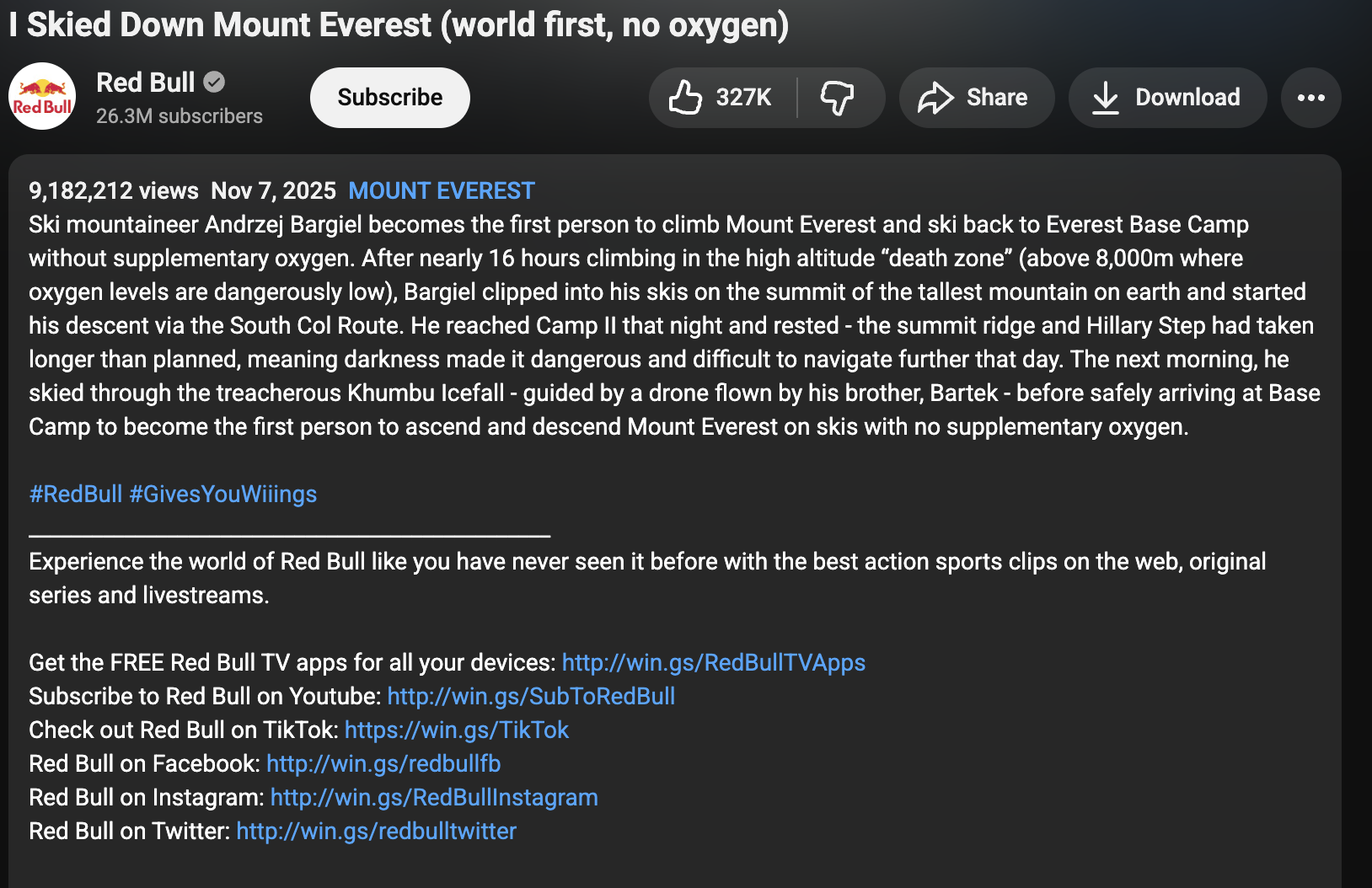
A strong description should:
Explain the who, what, where, when, and why: Think of your description as a short mini-article. Summarize the core value of the video and address what viewers might be looking for.
Use keywords naturally: Avoid keyword stuffing. It looks unnatural, and YouTube is very good at detecting low-quality or spammy content. Instead, incorporate keywords as part of genuine sentences that help the viewer.
Speak directly to your audience: Write like a human, not a template. Viewers can tell when a description is generic, and lower-quality descriptions can hurt your credibility.
Include a clear call to action: Whether you want viewers to subscribe, comment, visit a website, download something, or watch another video, say so clearly.
Use strategic formatting: Add line breaks, short paragraphs, emojis, or bullet points if they help with readability, especially on mobile, where most users read descriptions.
Use Chapters, Especially For Longer Videos
Chapters make your content more accessible, more user-friendly, and more discoverable. They allow viewers to jump directly to the part of the video they need, which improves overall satisfaction and reduces early drop-off.
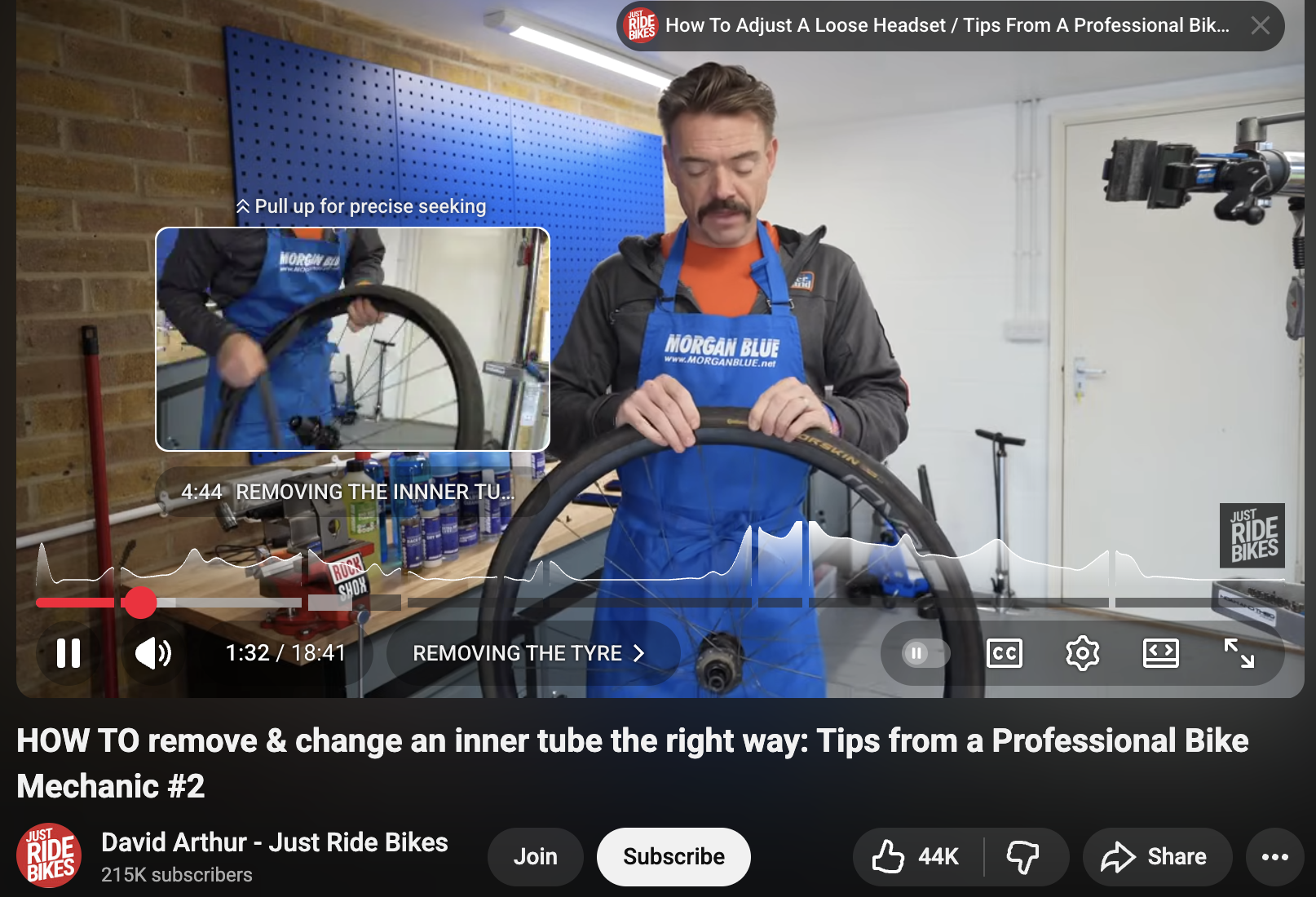
From an SEO standpoint, chapters help in two major ways:
Improved user experience → higher watch time: When viewers can navigate easily, they're more likely to stay on the video rather than abandoning it.
Better visibility in Google search: Google often displays video chapters directly in search results, which can dramatically increase your click-through rate outside of YouTube.
Why Chapters Matter
We've all been frustrated by clicking on a 20-minute tutorial when we only need a 30-second answer. Chapters solve that problem by:
dividing your video into logical segments
helping viewers find exactly what they're looking for
repositioning longer videos as helpful rather than intimidating
reducing bounce rates and improving session time
For example, a bike repair video might include chapters like:
00:00 Intro
00:42 Tools You Need
02:20 Removing the Wheel
05:40 Replacing the Tube
09:25 Reattaching the Wheel
12:10 Final Safety Check
A viewer who only needs the “Replacing the Tube” section can jump directly there and stay engaged.
How to Use Chapters Effectively
You can optimize chapters using these best practices:
Add clear, descriptive titles
Avoid vague labels like "Part 1" or "Section 2.” Use meaningful chapter names that describe the action or value.Include keywords naturally
If your chapter covers “How to Replace a Bike Tire,” include that exact phrase.Keep chapter breaks logical
Each chapter should cover a distinct concept or step.Add them manually (don’t rely on auto-generated chapters)
Auto chapters can be helpful, but manually-written chapters give you more control and better accuracy.
Google and YouTube both use chapters to serve more precise answers to users’ questions. A well-optimized chapter can appear in Google’s results even if the full video wouldn’t.
This means a single video with good chapters can rank for multiple search queries.
Design Engaging Thumbnails
They say a picture is worth a thousand words, but in this case, let's say views. Thumbnails are often the first thing users see when deciding to click on your video, and it’s why so many creators put serious time and effort into designing them.
However, we are not here to tell you how to design your thumbnail per se, but rather to provide some tips on what to consider when designing.
A great starting point is to examine your competitors' content. Review how they create their thumbnails and see if they are achieving higher view counts. Additionally, take time to review content created by popular industry creators.
What are they doing?
Are they using humans or animals with open mouths and crazy, contrasting text to make their thumbnail pop?
Or are they being more subtle and showing a more relaxed scene with 1-2 words?
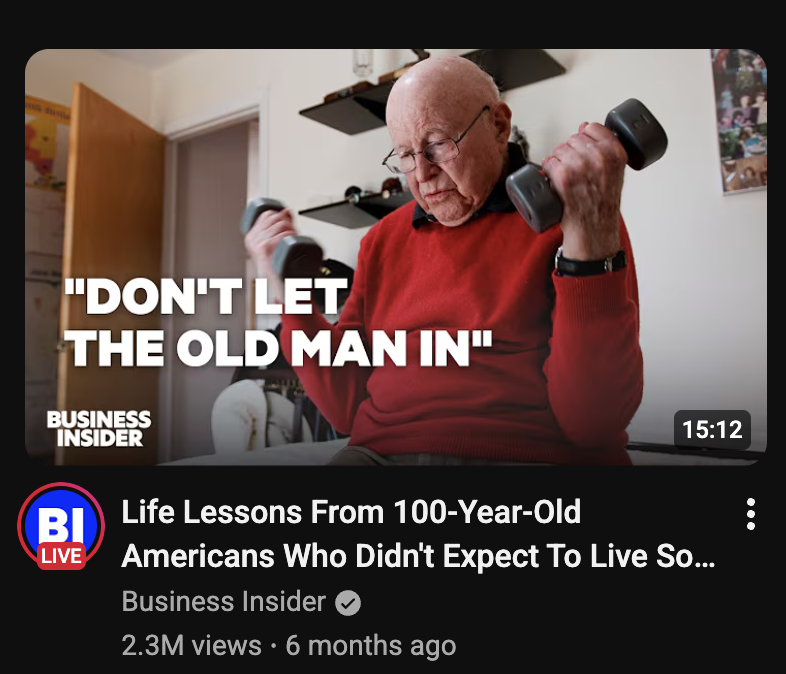
Taking the time to see what works can pay dividends, and don’t worry—you can always update your thumbnail later if you find that one strategy is better than another.
Get Proper Transcripts
Having grammatically correct transcripts gives YouTube a better understanding of your content. It also helps users engage with your content (hinting back to the start of this article). Some users prefer to use transcripts over listening, so it's best to ensure you give them that option and not rely on YouTube's auto-transcription, which is known for its errors and inaccuracies.
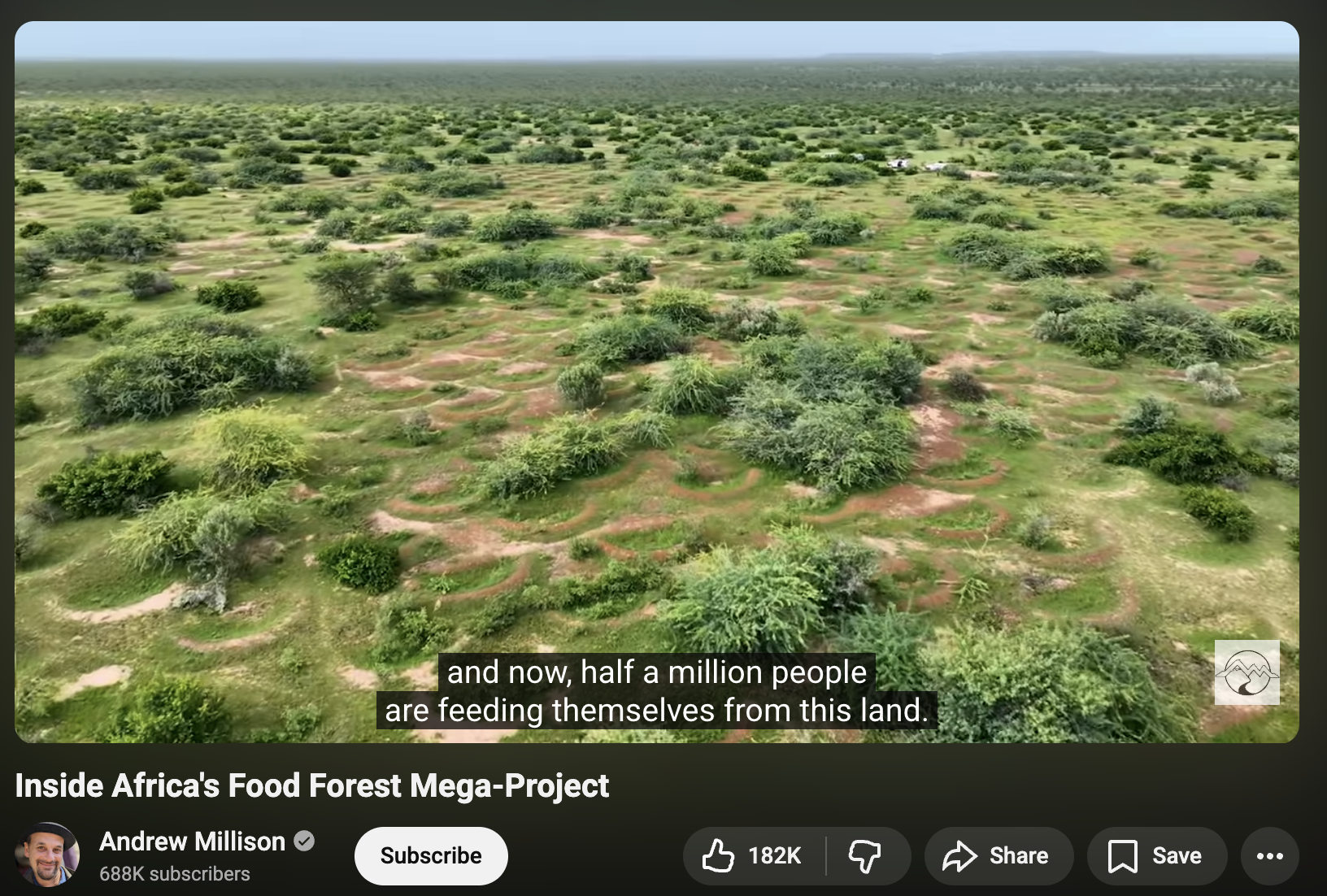
And if you are reaching out to an audience that speaks different languages, then ensure you have transcripts available for them as well. In this case, it’s even more important as your users may not fully understand the native language of the video.
Accurate transcripts are one of the most underrated YouTube SEO tools. While YouTube provides auto-generated captions, they often contain errors—especially with names, technical terms, or accented speech. These inaccuracies affect both user experience and how YouTube understands your video.
Here’s why proper transcripts matter:
1. Better Understanding of Your Content (for YouTube + Google)
YouTube’s algorithm analyzes your transcript to understand:
what topics you cover
what keywords appear in your spoken audio
whether your video actually matches the title and description
Accurate transcripts help YouTube classify your content correctly, which leads to better recommendations and stronger ranking signals.
2. Improved Accessibility
Many viewers prefer reading along or watching without sound. A clean, human-reviewed transcript:
improves comprehension
keeps viewers watching longer
helps meet accessibility expectations and compliance standards
The more people can comfortably consume your content, the stronger your engagement metrics become.
3. Better Global Reach
If your audience spans multiple languages, offering translated transcripts opens your content to entirely new markets. Multilingual captions can also help YouTube surface your video to viewers who don’t speak the video’s primary language.
4. More Accurate Than Auto-Captions
YouTube’s auto-transcription technology is good but not perfect. It often struggles with:
industry jargon
brand names
proper nouns
fast speakers
noisy environments
Uploading your own transcript eliminates these issues and ensures your content is indexed correctly.
5. Additional SEO Benefits Outside of YouTube
When Google indexes your video, it may use your transcript to determine relevancy for search queries. Clean transcripts increase your chances of ranking in Google Search and Google Video results.
Use Tags on Your Videos
While YouTube has stated that tags are not used as a direct ranking factor, they can still play a meaningful role in helping users discover your content. Tags make it easier for YouTube to understand alternate versions of the terms people may search for (such as misspellings, synonyms, or shorthand), and they help categorize your video within broader content groups, similar to how hashtags work on platforms like Instagram.

This doesn’t boost your ranking directly, but it can help viewers find your videos when browsing related topics, and that additional visibility can lead to more engagement over time. For creators just starting out, tags are an easy, low-effort way to increase the odds of your content being surfaced to relevant viewers without relying solely on titles and descriptions.
Use Playlists To Organize And Share Content
Playlists are one of YouTube’s most powerful yet underrated tools, giving creators a simple way to organize videos into clear, structured collections that guide viewers through related content. A well-organized playlist helps keep users engaged longer, increases total watch time, and makes it easier for viewers to follow step-by-step series or grouped topics without getting lost on your channel.
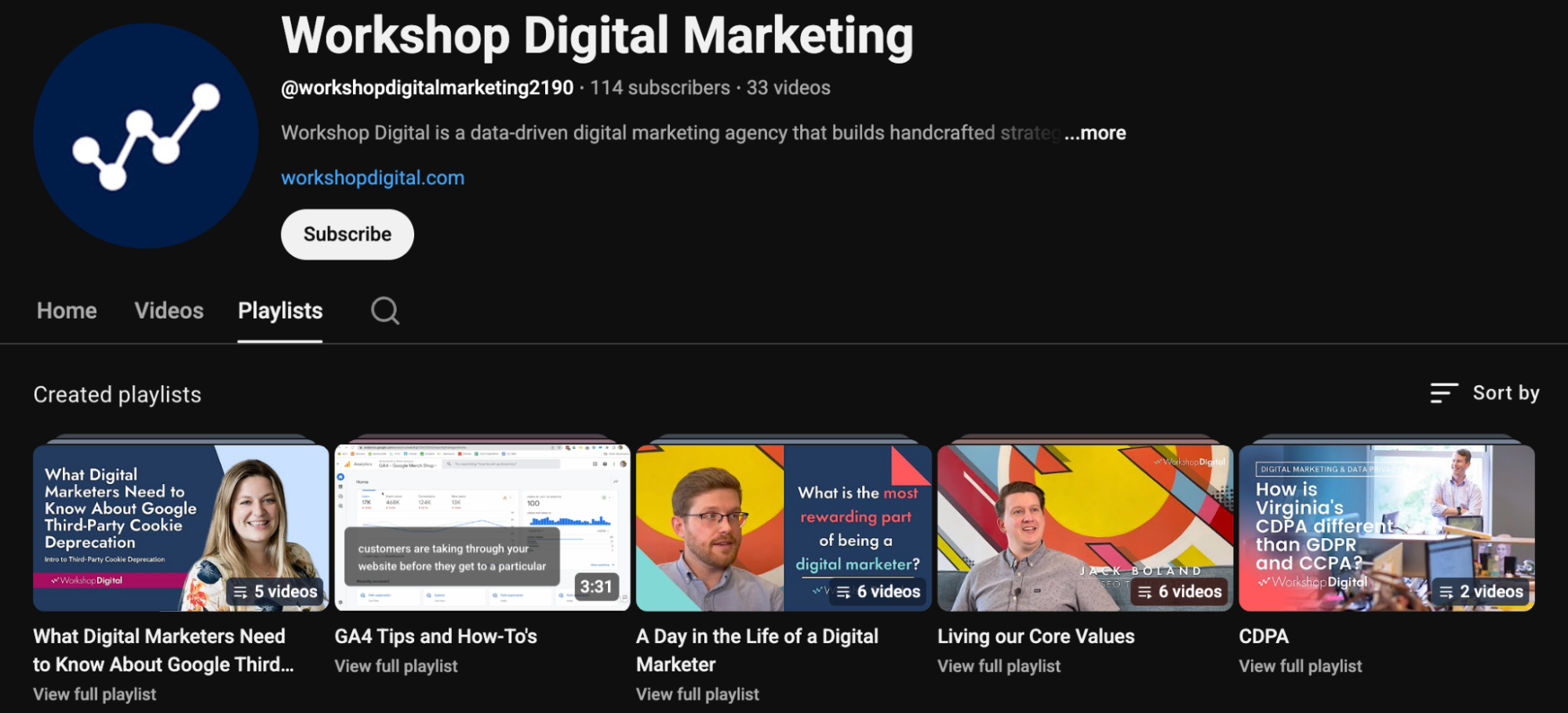
Whether you're teaching a multi-part tutorial or showcasing a portfolio of related content, playlists give your audience a smoother experience while signaling to YouTube that your videos are connected and valuable. In short, a clean playlist strategy not only improves user satisfaction but can also strengthen your channel’s overall visibility.
First Impressions Matter, So Optimize Your Channel
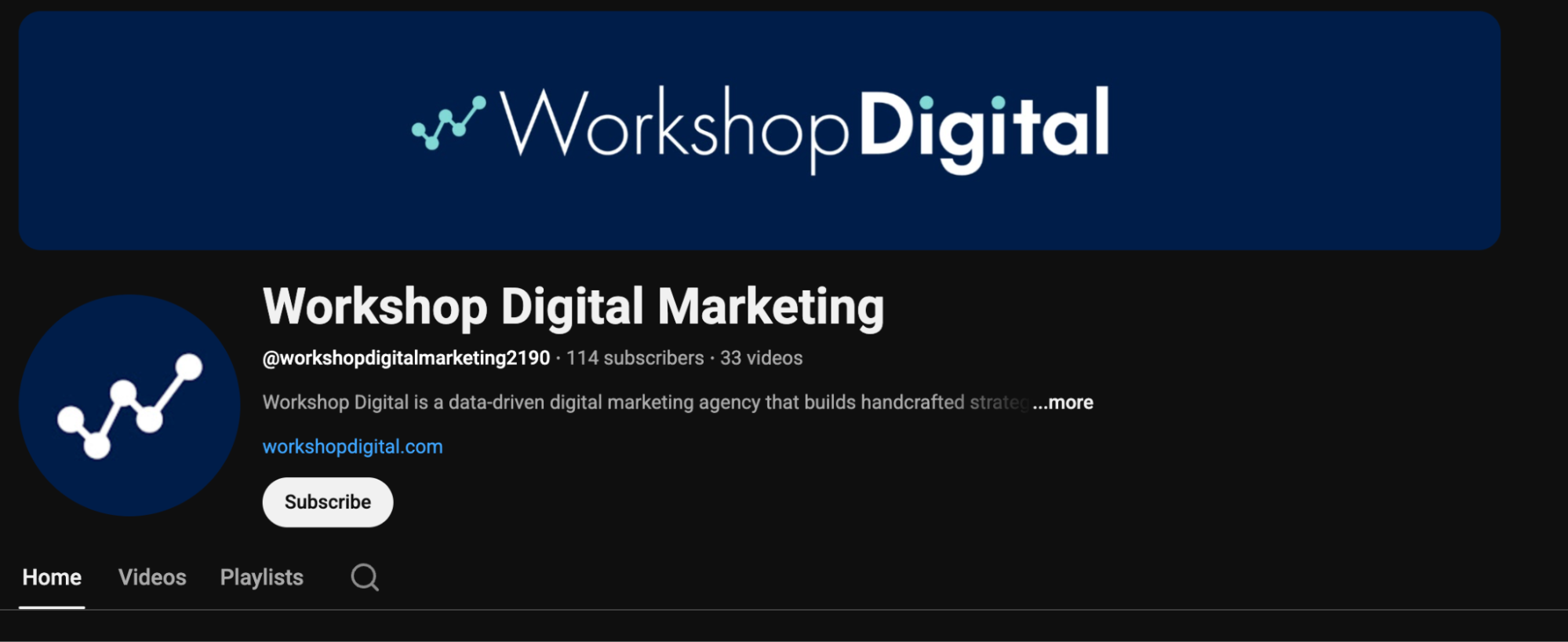
Think of your YouTube channel page as your digital storefront: if it looks incomplete or inconsistent, viewers are less likely to trust your content or stick around. Taking the time to add a clear profile icon, an engaging header image, and a well-written channel description helps establish credibility and signals to YouTube that your channel is active and ready for new viewers. These elements should reflect your brand’s voice, colors, and messaging while naturally incorporating a few relevant keywords to strengthen your overall visibility. A polished, intentional channel page not only creates a better first impression but also increases the likelihood that viewers will explore more of your content, subscribe, and return.
Engage Because a Garden Doesn't Grow Overnight
If you want more views, to see your channel grow, and actually realize some ROI from your content, then take the time to engage with the audience. This is one of the reasons Reddit is so popular right now: the conversations are honest, sometimes too honest. However, they are also gold in SEO and marketing. Not only can you repurpose it into original content for use on YouTube and your own site, but it also helps to build a community around your videos and brand.
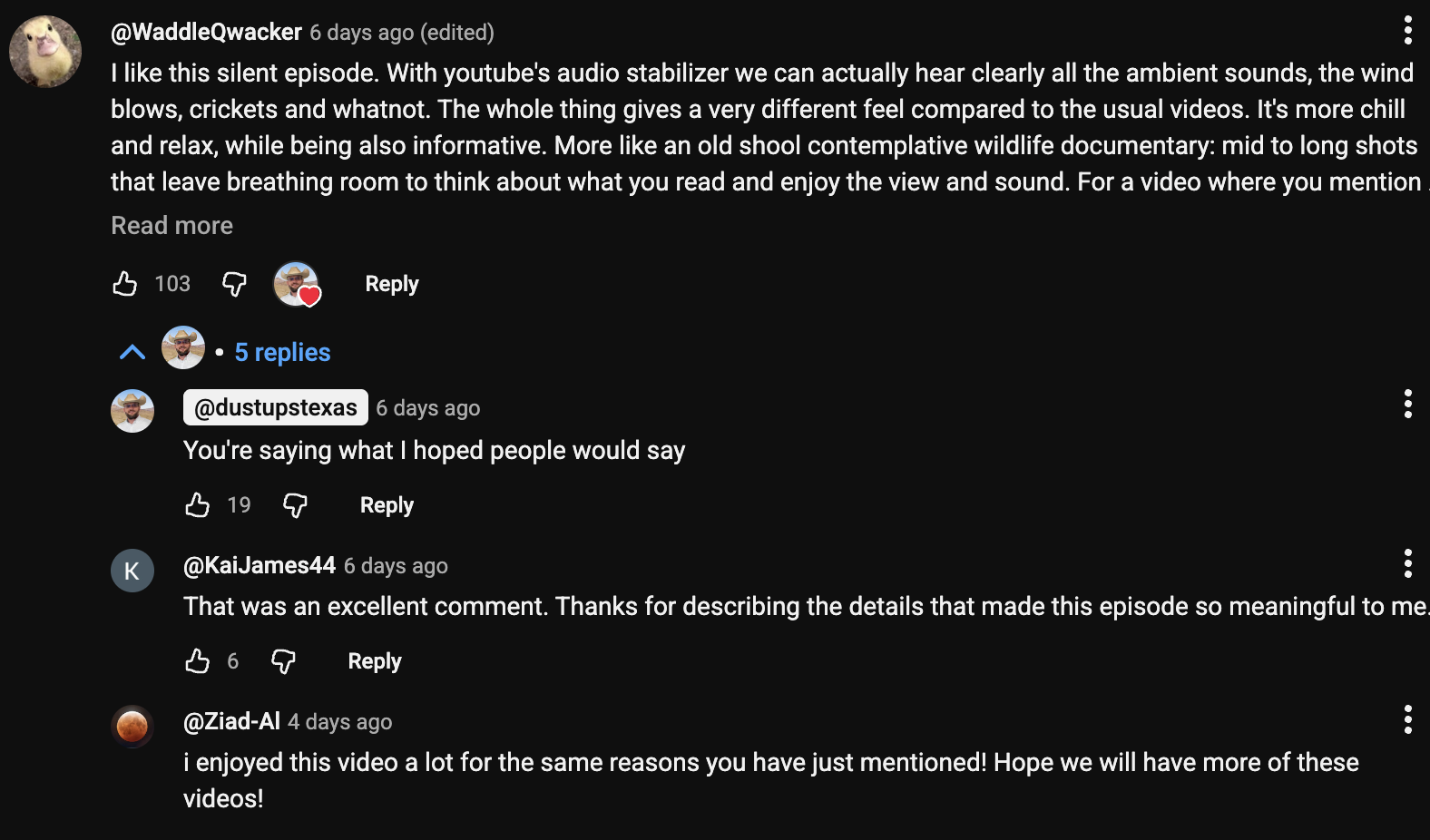
In the example above, we can see that the channel owner (@dustupsteaxs) not only liked their comment but also responded, which started an even more engaging conversation and engagement.
What If I Want to Optimize My YouTube Content in Bulk?
If you’re one of the lucky few sitting on a backlog of videos, whether that’s ten, fifty, or hundreds, bulk optimization can feel overwhelming. The good news is that you don’t have to tackle every video manually, and you don’t have to start from scratch. Instead, the key is creating a system that lets you update titles, descriptions, thumbnails, tags, transcripts, and playlists in a scalable, strategic way.
Before jumping into tools, though, it’s important to understand that even the best software can’t replace human judgment. AI and automation can speed up the process, but your expertise, branding, and creative decisions are what ultimately make your content stand out. Bulk optimization works best when you combine smart tools with a thoughtful approach using repeatable naming conventions, consistent keyword strategies, clear video categorization, and a strong understanding of your audience’s needs. When done right, bulk updates can breathe new life into older content, boost channel-wide visibility, and help you build a more cohesive viewer experience across your entire library.
Tools for YouTube SEO
When you're managing multiple videos at once, having the right tools can save hours of manual work and dramatically speed up your optimization process. While no tool can replace strategic thinking or a human touch, these platforms can streamline repetitive tasks and help you make smarter decisions at scale:
TubeBuddy (Best for Bulk Editing & Workflow Efficiency)
TubeBuddy remains one of the most powerful tools for creators working with large video libraries. Its bulk-editing capabilities allow you to update titles, descriptions, tags, cards, end screens, and even thumbnails across multiple videos in just a few clicks. This is especially useful if you're rebranding, implementing new naming structures, or optimizing older content for modern SEO standards.TubeBuddy also offers A/B testing for thumbnails and titles, allowing you to see what actually increases CTR over time.
VidIQ (Best for Insights & Competitive Research)
VidIQ offers similar optimization features but shines when it comes to analytics, competitor tracking, and keyword recommendations. If you're looking to understand content opportunities, conduct keyword research directly within YouTube, or analyze how your channel stacks up against others in your niche, VidIQ is an excellent choice. Its “Daily Ideas” feature can also help spark content inspiration based on trending topics and data-driven predictions.
YouTube Studio (Best for Core SEO Essentials)
Sometimes the most effective tools are the ones built directly into the platform. YouTube Studio provides detailed analytics on audience retention, traffic sources, impressions, CTR, engagement, and more. These metrics help you understand not only what your audience is watching but why certain videos perform better than others. For creators who prefer fewer third-party tools, YouTube Studio alone can support a strong SEO workflow.
AI Captioning & Transcription Tools
Accurate transcripts can greatly improve accessibility and SEO. Modern tools like Rev, Descript, Otter, or YouTube’s own transcript editor allow you to generate high-quality captions quickly. These tools are especially helpful when updating older videos that rely on outdated or inaccurate auto-captions.
Design Tools for Thumbnails
Thumbnail creation becomes much easier and more consistent with graphic design tools like Canva, Figma, Adobe Express, or Photoshop. Many of these platforms also offer templates designed specifically for YouTube thumbnails, helping you standardize your branding and maintain CTR-boosting consistency. Some even integrate AI to help suggest variations or create background imagery.
Why These Tools Matter
Each of these platforms handles a different part of the optimization process, whether that's bulk editing, keyword research, video analytics, or thumbnail design. Used together, they help you apply updates faster, maintain consistency across large libraries of content, and uncover new opportunities for ranking and engagement.
Tactics for YouTube SEO
Here is where you need to start getting more strategic and begin utilizing things like focused naming structures and video playlists to make your content more organized and memorable. Tactics make up the strategy, so making sure you have the right ones helps to make your video marketing strategy most effective. Here are a few common ones:
1. Focused Naming Structure
Naming structures are not only informative and helpful to users, but they also provide YouTube with more insight into your content. For example, if you are creating a series about building a house, then a potential naming structure could be: "Video keyword and title - Step # - series name”.
In this example, we have the first section, which is used to target the desired keyword, followed by the order and the series name and/or company name. Filled out, your naming structure may look like this: “Creating Blueprints For Your Dream Home - Step 1 - Building Sturdy Homes”
Then, you should ensure that those videos are organized chronologically in a playlist on your channel. This playlist would likely need to include the series name and the company name as well, and may look something like: “Build Sturdy Homes Series - Henry Construction.”
2. Using CTA’s in Your Descriptions
Many companies that incorporate YouTube into their marketing strategy are often frustrated or confused by the low returns. However, I would venture to say that at least half of them don’t have any CTA or links back to their own site in their descriptions. Leaving these items out is just adding steps for the user, and it's already a miracle they chose our video to watch amongst the millions of options. Best to make it easy for them to learn more.
One common method for adding links is to create a template and use it across videos. We have created an example below.
Learn more about our product/service X here: [link]
Get your early access to the product/service here: [affiliate link]
Instagram: [link]
Meta: [link]
Twitter/X: [link]
Website: [link]
3. Cross-Channel Promotion
Just because a video lives on YouTube does not mean you can’t promote it on other social platforms like X or Meta. Once you have published a video, develop a schedule to share the content from various personal or professional profiles. With a little editing, you can even break the larger video down and share it across other platforms.
In fact, YouTube even has an avenue for this called ‘Shorts.’ This has become a popular way to share content as it provides users with a feed of content tailored to their own custom algorithm. This avenue is becoming increasingly popular among many businesses, both B2B and B2C.
4. Mixed Content Strategy
Before there was video content, there was copy. Often, when companies design a marketing strategy, they treat the two as separate when, in fact, they can be combined.
Every time you produce a video, you can produce a blog to go along with it. This blog should not be a carbon copy of the video, but rather expand on the content, adding further details. This blog can then be promoted on your own site or others. In addition, you can refer to the 3rd tactic we covered and turn it into content across other platforms to further promote the video.
How Do I Incorporate YouTube SEO Into My 2026 SEO Strategy?
A problem well understood is half solved, so to begin, we need to know where things stand now. I have provided a high-level YouTube SEO Checklist Template that you can use to start organizing your video content for creation, publication, or optimization. The goal here is to assess the current state of the content. From here, you can gain a basic understanding of what each piece of content requires.
With a good understanding of your content status, you now need to prioritize, and this is where your larger strategy comes into play. You should discuss the ROI across teams to gain a comprehensive understanding. For most brands, views are not equivalent to conversions.
Having a detailed strategy of how you plan to bring those viewers further into your funnel is where the rubber really meets the road, and you start to see that positive ROI.
Bonus: Busting Common YouTube SEO Myths
- “My video needs to be X minutes long to rank.”
A common misconception is that YouTube favors videos of a specific length. In reality, there is no ideal runtime. YouTube cares far more about how well your content satisfies the viewer’s intent. Sometimes a topic can be covered in under two minutes; other times, it needs a full step-by-step walkthrough. What matters is maintaining attention… not stretching a video unnecessarily.
- “Embedding videos on multiple websites boosts YouTube rankings.”
Embedding your video across blogs, partner sites, or social platforms does not directly increase your ranking. YouTube cannot track where you embed your content. However, if those embeds lead to real, quality views and watch time, that engagement can indirectly help your video perform better.
- “Adding keywords to the video file name improves SEO.”
This is one of the oldest myths in the book. Your video file name does not influence YouTube rankings. That said, using keywords in your file naming structure can still help internally by keeping your video library organized—especially if you manage a lot of content or produce videos in bulk.
Ready to Get Started Optimizing YouTube?
Building momentum on YouTube takes time, consistency, and a solid strategy, but you don’t have to figure it out alone. Whether you’re optimizing a backlog of content or planning a new video series, we’d love to support your next steps.
Reach out to us today, and let’s talk about how we can help your channel grow.