
Performing SEO audits can often be a large and monotonous task. We rely on detailed, point-by-point checklists and methodically review client sites against current best practices. More often than not, we uncover standard issues such as broken links, non-optimized site structure, and similar problems. Occasionally, however, we find something that makes us stop and ask, “Why?”
That was the case during a recent site audit, when I encountered an unusually complex schema structure. Every heading was marked up as its own unique schema type, sometimes duplicated three times over. After some investigation, I discovered the issue was caused by a legacy version of a WordPress theme and its schema markup implementation.
Having worked on dozens of sites, I know there are still millions running on outdated WordPress themes. These older themes can introduce serious issues with schema markup that often go unnoticed. In this post, we will break down what this type of schema markup is, why it happens, and how to fix it.
A Quick Refresher: Schema, Microdata, and JSON-LD
Schema markup helps search engines better understand the content on a page. You will typically see schema implemented in two formats:
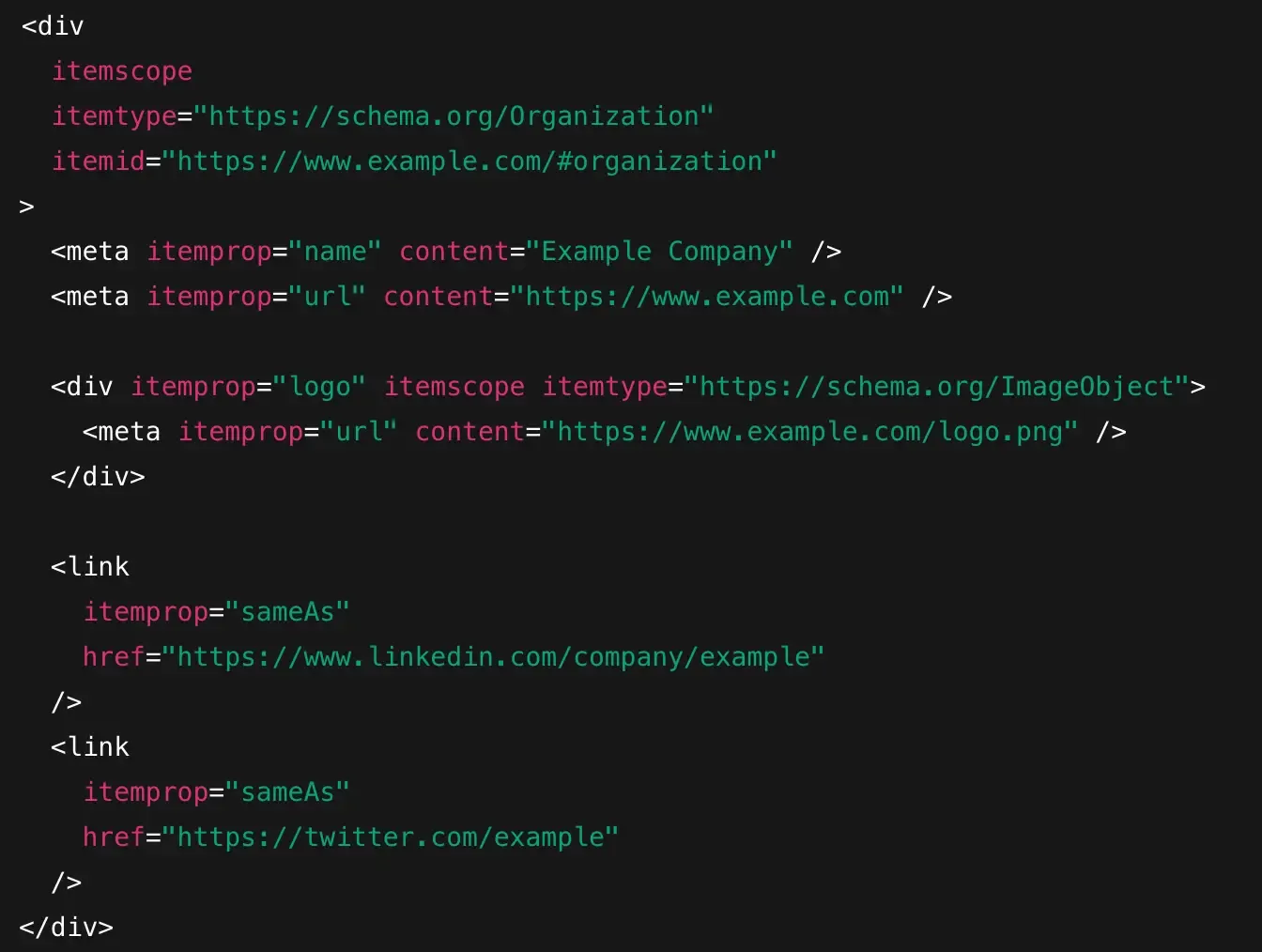
Inline microdata: Where schema is embedded directly into HTML elements
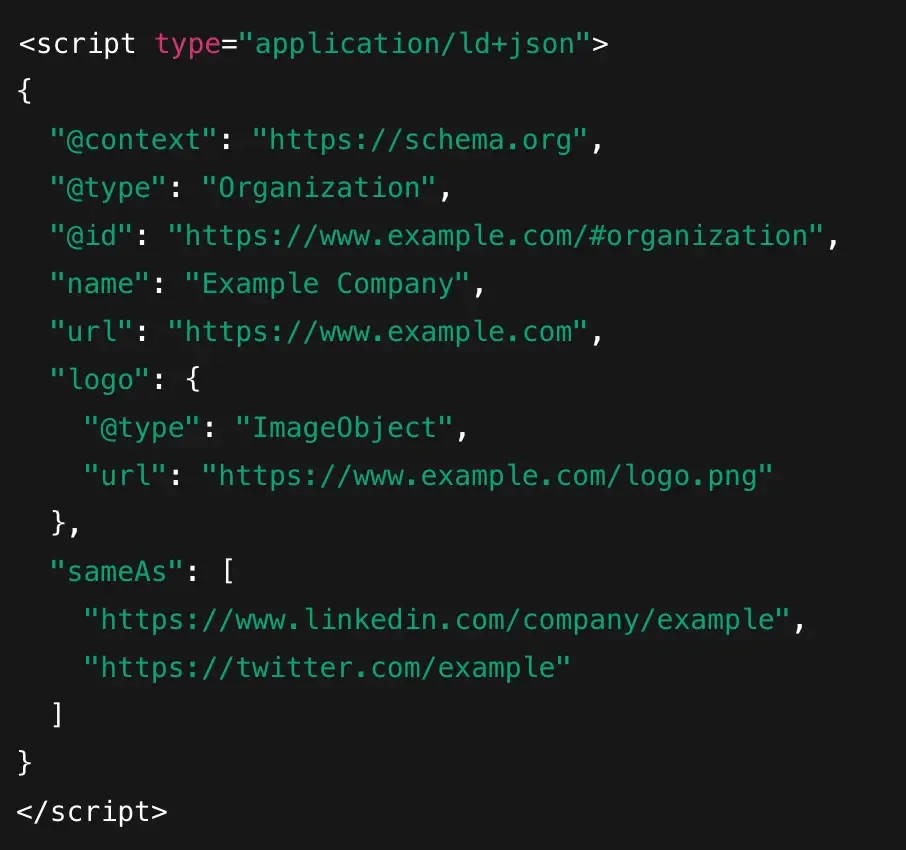
JSON-LD: Where structured data lives in a separate script block
Both formats are supported by Google. The difference is less about validity and more about control. Microdata is embedded directly in a theme’s markup, which makes it difficult to modify or remove, especially for the average user. JSON-LD is cleaner, more centralized, and easier to maintain. It is often implemented through custom code or Google Tag Manager.
JSON-LD
Microdata
How Legacy Themes Got Here
Between 2012 and 2017, structured data was still relatively new and received a great deal of attention. Google, Bing, and Yahoo had just launched schema.org, and there was very little formal guidance beyond the basic recommendations.
“More schema equals better SEO.”
This was a fairly rational approach, given that search engines were providing a way to describe webpages and content better. Theme developers recognized the opportunity and began adding structured data wherever it seemed reasonable.
However, there was no real standard at the time. Schema.org existed, but best practices had not yet been established. As a result, there was little agreement on:
Which schema types to use
How many entities should exist per page
Whether pages should be Article, WebPage, or CreativeWork
Google’s guidance was also limited and inconsistent. Before Google clearly favored JSON-LD, documentation focused on supporting microdata — not on how to design clean, minimal schemas. Theme developers optimized for what validators accepted, not for long-term maintainability.
Additionally, SEO plugins weren’t mature yet. Early versions of Yoast, All in One SEO, and similar plugins didn’t have the features they have today and couldn’t reliably handle complex layouts.
What made sense in 2014 now looks like technical debt — not because it’s broken, but because the ecosystem evolved around it.
Common Legacy Schema Patterns You’ll See
After seeing some of these schema patterns myself, as well as doing a bit of digging, we ultimately found a handful of examples that show you what this legacy schema markup might look like.
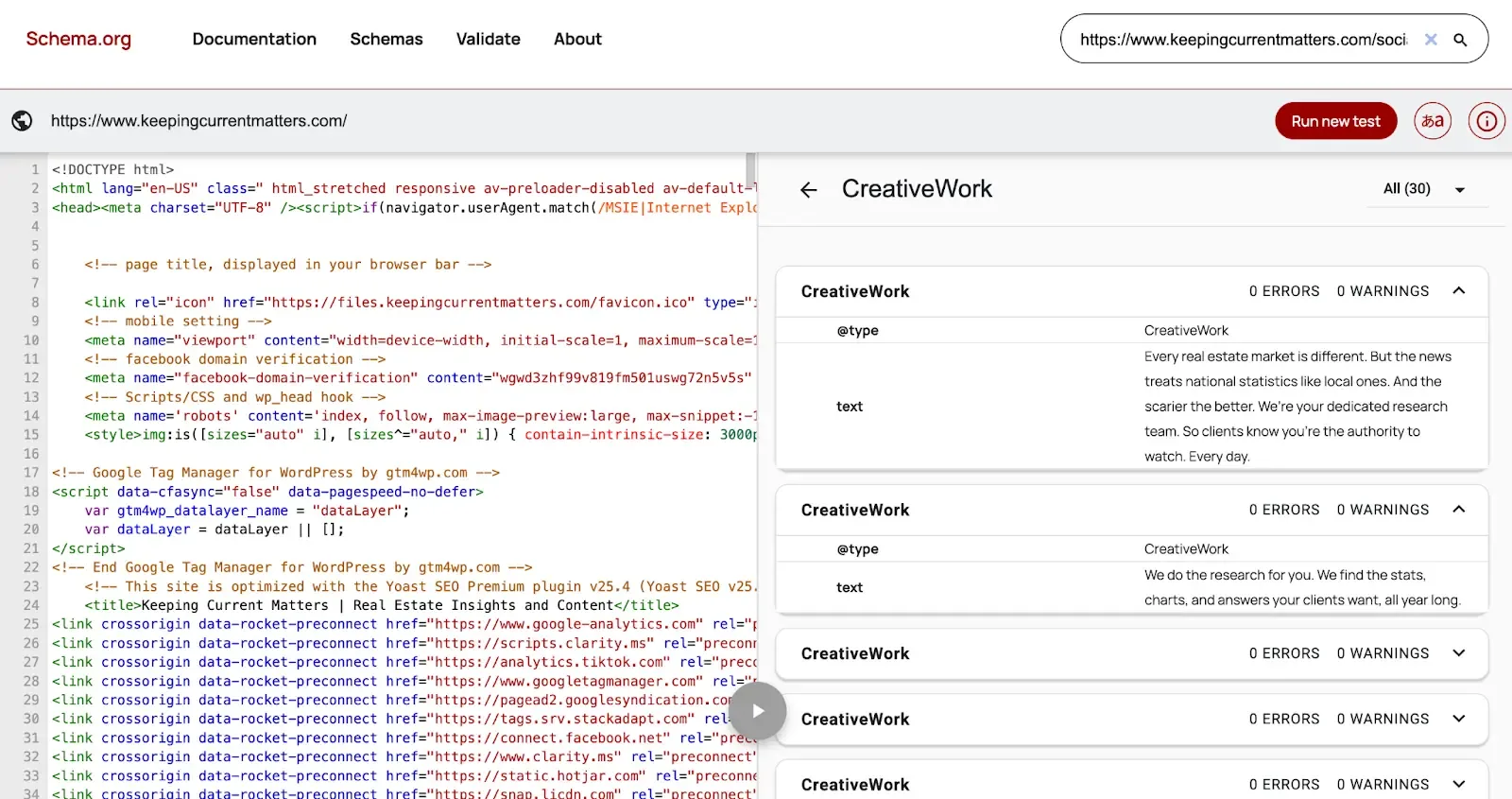
CreativeWork is applied to every page or every heading.
Every heading marked as a headline
Entire content wrapped in itemprop="text"
- Microformats (hCard) mixed with schema.org
It is worth noting that hcard is still fine to use at this time. It's still a little bit more outdated.
Schema toggles that don’t fully disable anything
Some of the most common culprits of this schema spamming were from WordPress themes like:
Enfold
Avada
Divi (older versions)
WPBakery-based themes
It's worth noting that most of these no longer have this problem with newer versions. However, if you are running the older versions on your site, then you're likely to experience these issues.
Why This Usually Doesn’t Break SEO (But Still Matters)
Among the many SEO issues that exist, this is fortunately not one that causes significant damage. In most cases, Google is fairly tolerant of this type of markup and is unlikely to penalize your site.
That said, it can still create several practical issues, many of which tend to surface over time:
Creates noisy audits: Reviewing on-page markup becomes more difficult and time-consuming.
Makes debugging harder: Excess code makes it harder to identify what is actually happening.
Blocks future schema improvements: Adding proper schema on top of bloated markup complicates testing, validation, and troubleshooting.
Adds technical debt: WordPress environments already carry significant overhead, and this extra code only increases the technical burden that can hold a site back.
How to Solve These Schema Issues
If you are like me, your first instinct is to clean up this extra schema. The first step is to check whether your theme includes an option to disable its built-in schema markup. In the case of the Enfold theme, there is a dedicated setting that allows you to turn this off. While it does not remove all of the extra schema, it does eliminate a large portion of it.
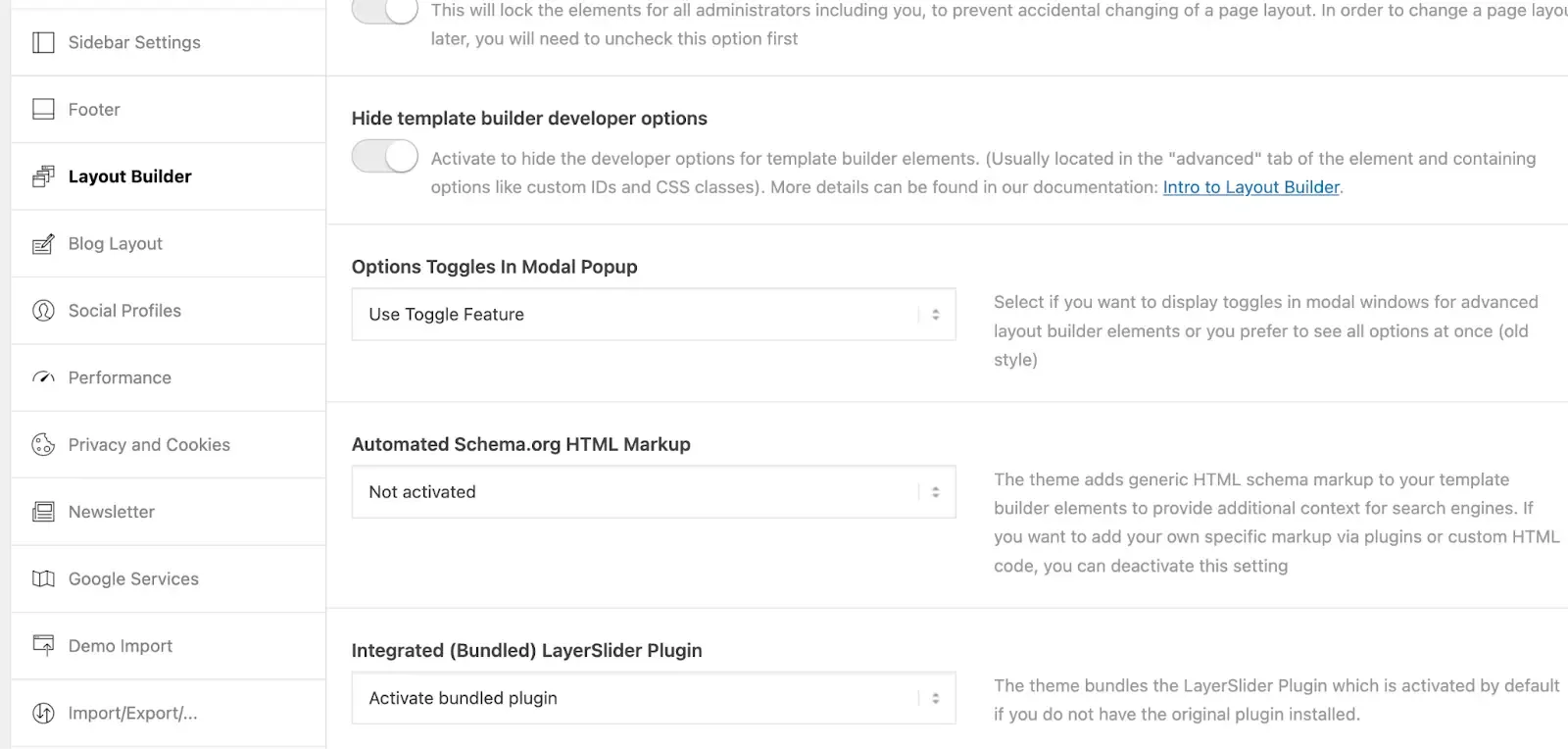
Other themes include similar settings, so it is worth taking the time to explore your theme options and disable built-in schema where possible.
If this is not an option, you may need to explore alternative approaches or work with a developer. In practice, there are only a few situations where addressing this issue is truly worthwhile:
It takes little money or time
You’re migrating themes anyway
You control the codebase
You’re building a long-term schema strategy
You’re running into validation conflicts
If these reasons aren’t on your radar, then it’s likely best to leave it alone.
Final Takeaway
The goal isn’t more schema; it’s a clearer meaning. This kind of legacy schema is common and is rarely dangerous or harmful to your site. However, it is a sign of aging site architecture. So, as you begin to make your plans for the remainder of the year, it's worth addressing issues like these and potentially other issues to see what your SEO strategy might look like for the remainder of 2026.
If you're not sure if your WordPress site is running on this bloated legacy code, reach out to us, and we'd be happy to take a look and set you up with a proper SEO strategy.