
Managing meeting notes, onboarding documents, marketing messaging, and internal resources can quickly become overwhelming as your business grows. Finding the right information often means digging through folders, spreadsheets, and countless other documents.
Google NotebookLM helps solve this by turning your documents, meeting notes, website content, and other resources into an AI-powered knowledge base you can interact with using natural language.
In this post, I’ll walk you through how to use Google NotebookLM, explore its most valuable features, and share practical ways businesses can use it to improve productivity, streamline onboarding, and create content more efficiently.
What is NotebookLM?
Google NotebookLM is an AI-powered research and knowledge management tool that helps users organize, analyze, and interact with information from their own documents and resources. Rather than relying solely on information from the web, NotebookLM uses the sources you provide to generate summaries, answer questions, gain insights, and create new content.
Think of NotebookLM as a personalized AI assistant trained on your organization’s information. You can upload documents, spreadsheets, meeting notes, website content, voice transcripts, and other resources, then ask questions about that information using natural language.
For businesses, this creates a shared workspace where teams can quickly locate information, reference previous discussions, and work from a common source of knowledge.
Some common use cases for Google NotebookLM include:
Summarizing meeting notes and identifying action items
Creating onboarding resources for new employees
Developing marketing messaging and content strategies
Analyzing website content for consistency and alignment
Generating reports, presentations, and content outlines
Studying complex topics through quizzes, flashcards, and audio summaries
The real value of NotebookLM comes from making information easier to access, understand, and apply across your organization.
How to Get Started with the NotebookLM Dashboard
Once you create or open a notebook, you’ll be taken to the NotebookLM dashboard. The interface is designed to keep your sources, conversations, and generated content organized in a single workspace.
The dashboard is divided into three primary areas. The left panel contains your source materials, the center workspace is where you interact with NotebookLM through prompts and questions, and the right panel provides access to content generation tools and saved notes.
Understanding the dashboard layout makes it easier to get the most from NotebookLM's features and workflows.
Note: The examples featured throughout this walkthrough use a mock client and are intended solely to demonstrate how NotebookLM can be used in practice.
Creating a Notebook
Every NotebookLM workspace begins with a notebook. If you’re managing multiple projects, clients, departments, or initiatives, creating separate notebooks can help keep information organized and easy to access.
At the top of the dashboard, you’ll find the “Create a Notebook” button. This allows you to create a new workspace dedicated to a specific purpose, such as employee onboarding, marketing strategy, client documentation, or internal operations.
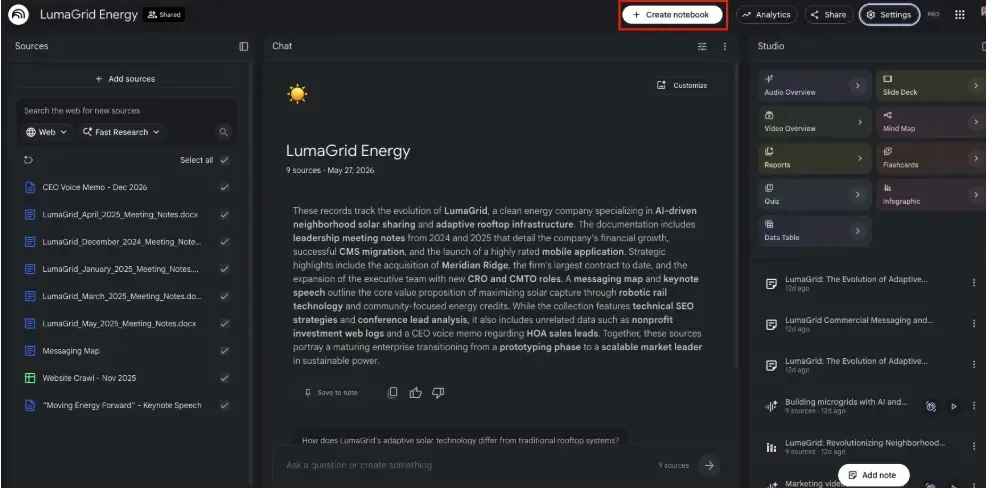
Organizing information into separate notebooks can also improve the quality of responses generated by NotebookLM. Because each notebook contains its own collection of sources, the AI can provide more focused and relevant answers based on the information available within that workspace.
Analytics and Notebook Insights
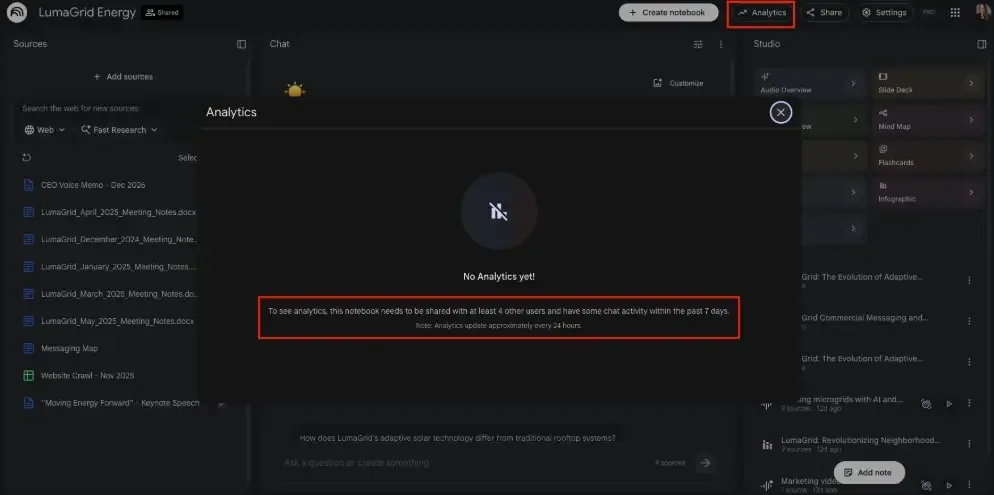
NotebookLM includes analytics that provide visibility into how a notebook is being used. For teams collaborating within a shared workspace, these insights can help track activity and understand how information is being utilized across the organization.
Note from NotebookLM: To see analytics, this notebook needs to be shared with at least 4 other users and have some chat activity within the past 7 days. Analytics updates approximately every 24 hours.
While analytics may not be a feature every user relies on daily, they can be useful for monitoring engagement and ensuring team members are actively contributing to and benefiting from the notebook’s resources.
Sharing and Collaboration
NotebookLM makes it easy to collaborate with colleagues by allowing multiple users to access and contribute to the same notebook. Rather than keeping information siloed within a single account, you can grant access to team members who need to contribute, review, or reference the information stored within the notebook.
This collaborative approach allows multiple users to upload documents, add meeting notes, contribute research, and build a more comprehensive knowledge base over time. As new sources are added, NotebookLM can incorporate that information into future responses, helping teams maintain a centralized repository of knowledge.
For organizations that regularly collaborate across departments, shared notebooks can help ensure everyone is working from the same information and has access to the resources they need.
Settings and Customization
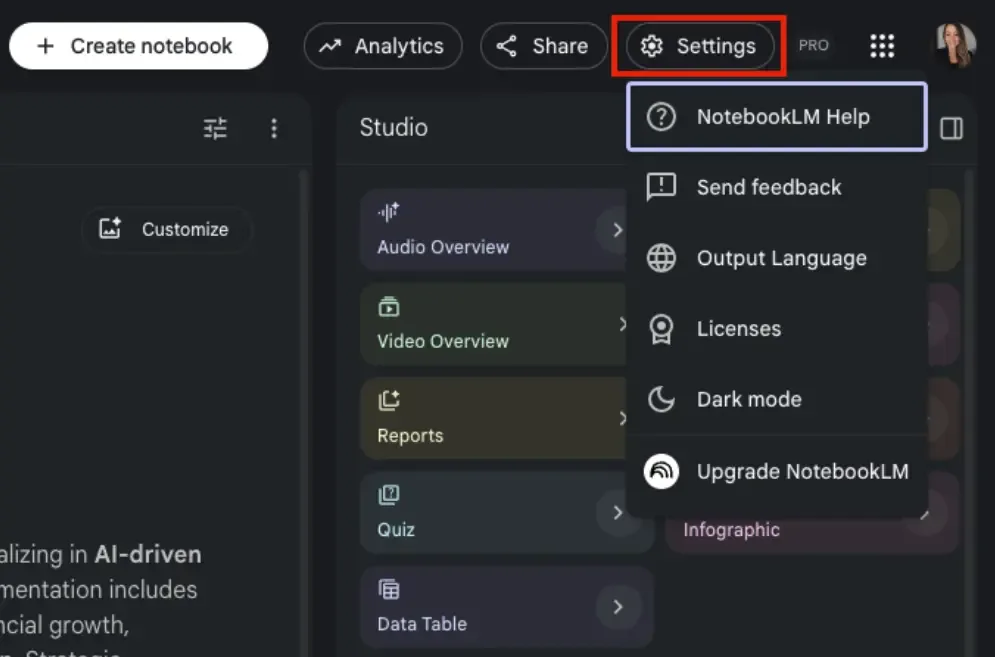
The Settings menu gives users control over privacy preferences and workspace customization options. While these settings may vary based on your account type and organization, they provide a convenient place to manage how your notebook is configured.
NotebookLM also offers theme customization, including a dark mode option that many users prefer for improved readability during extended work sessions. While these settings do not directly impact functionality, they can help create a more comfortable and personalized user experience.
With the dashboard basics covered, the next step is understanding how to add sources to your notebook. This is where NotebookLM begins to come alive, delivering its greatest value!
Adding Sources to NotebookLM
The foundation of every NotebookLM workspace is its sources. Unlike traditional AI tools that rely primarily on information from the internet, NotebookLM generates responses based on the documents, files, and resources you provide.
Think of it as creating a searchable knowledge base customized to your business, project, or area of focus. The more relevant and comprehensive your sources are, the more useful the insights and responses become.
NotebookLM supports various source types, making it easy to centralize information otherwise scattered across systems. Whether you’re organizing meeting notes, internal documentation, marketing materials, or research, adding the right sources is the first step toward building an effective AI-powered workspace.
NotebookLM supports a wide variety of source types, making it easy to centralize information that may otherwise be scattered across multiple platforms and systems. Whether you’re organizing meeting notes, internal documentation, marketing materials, or research, adding the right sources is the first step toward building an effective AI-powered workspace.
Uploading Files and Documents
NotebookLM supports a wide range of file types, making it easy to build a knowledge base from information your organization already has. Users can upload PDFs, spreadsheets, presentations, documents, and other files directly into a notebook.
Once uploaded, these files become part of the notebook's source library and can be referenced in future conversations. This allows NotebookLM to analyze information across multiple documents, identify key insights, summarize content, and answer questions based on the information available.
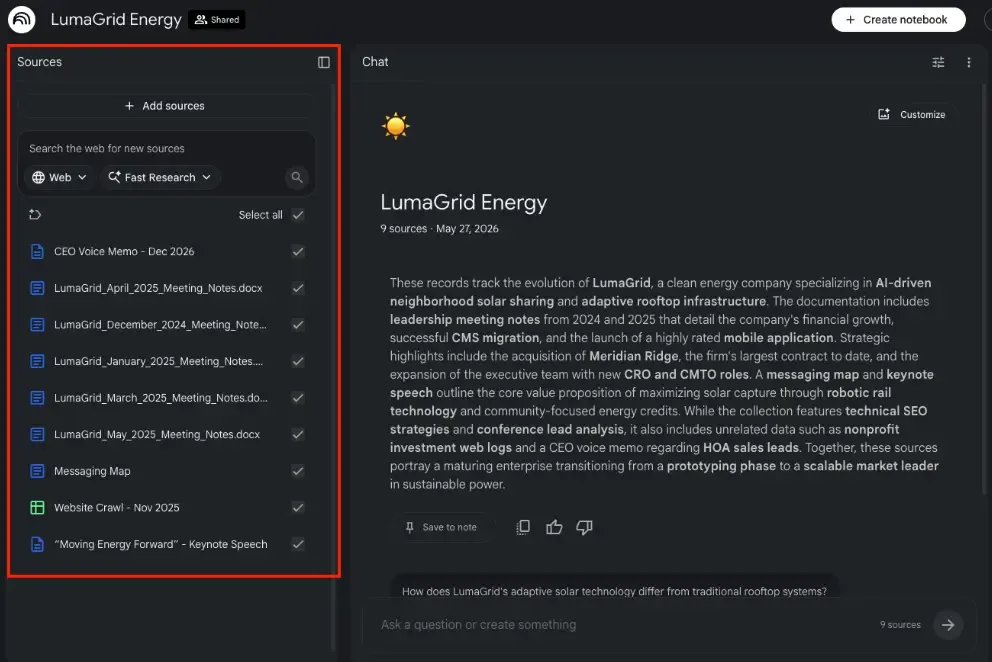
For businesses, this can be particularly useful when working with training materials, process documentation, research reports, marketing assets, or operational resources. Instead of manually searching through folders and files, users can ask NotebookLM questions and receive responses based on the documents stored within the notebook.
Adding Website URLs
In addition to uploading files, NotebookLM allows users to add website or video URLs as sources. This can be particularly beneficial for organizations looking to analyze existing website content, evaluate messaging consistency, or centralize information from multiple web pages.
When a URL is added, NotebookLM can use the content from that page as part of its knowledge base. This gives users the ability to ask questions about website content, identify common themes, and compare information across multiple pages.
For marketing teams, website URLs can serve as a powerful source of truth. By adding important pages from a company website, NotebookLM can help assess whether content aligns with current messaging, identify opportunities for improvement, and support future content development efforts.
Using YouTube Videos and Transcripts
NotebookLM also supports YouTube videos as source material, giving users another way to capture and organize information. This can be especially useful for training content, educational resources, recorded presentations, webinars, and industry research.
The effectiveness of YouTube sources depends largely on whether a transcript is available. Since NotebookLM relies on text-based information to analyze and generate responses, videos with accurate transcripts tend to provide far more value than those without them.
When transcripts are available, NotebookLM can summarize key points, answer questions about the content, extract insights, and incorporate information from the video into its broader knowledge base. This makes it easier to reference important discussions and revisit information without rewatching an entire video.
Importing Meeting Notes and Voice Memos
One of the most practical uses for NotebookLM is organizing information from meetings and conversations. Users can import meeting summaries from platforms such as Zoom, Microsoft Teams, and Google Meet, making it easier to reference discussions and decisions long after a meeting has ended.
Voice memos can also be added as sources, providing a convenient way to capture ideas, observations, or updates while on the go. Once imported, these recordings become part of the notebook's knowledge base and can be referenced alongside other documents and resources.
By combining all of these documents into a single workspace, teams can create an information hub that is easier to search, summarize, and act upon. This can be especially important for tracking action items, documenting decisions, and preserving institutional knowledge across an organization.
Using NotebookLM as an AI-Powered Knowledge Base
Once your sources are in place, NotebookLM shifts from a storage tool to an interactive workspace for exploring and applying information. It transforms into an AI-powered knowledge base that can help you quickly find information, identify insights, and generate useful outputs based on the resources you've provided.
The center workspace serves as the primary interface for interacting with your notebook. Here, you can ask questions, request summaries, generate reports, and explore information using natural language prompts.
For example, you might ask NotebookLM to summarize the last three meetings, identify action items for a specific team member, or provide a list of outstanding tasks for a department. Instead of manually reviewing multiple documents, the platform can pull relevant information from your sources and organize it into a clear, actionable response.
This capability becomes even more valuable as your source library grows. Meeting notes, training materials, messaging documents, website content, and research can all work together to provide contextual answers that help teams make better use of the information they already have.
Summarizing Meetings and Identifying Action Items
Another great way to use NotebookLM is to summarize information across multiple meetings and documents. As meeting notes accumulate over time, it can become difficult to remember important decisions, track responsibilities, and identify outstanding tasks.
Instead of manually reviewing notes from several meetings, users can ask NotebookLM to generate a summary of recent discussions, highlight recurring themes, or identify action items assigned to specific individuals or departments.
This capability can help teams stay aligned, reduce the time spent searching for information, and ensure important follow-up tasks are not overlooked. It can also be useful for bringing new team members up to speed by providing quick summaries of previous conversations and decisions.
By pulling information directly from the sources within a notebook, NotebookLM can provide context-rich responses that help transform meeting documentation into actionable insights.
Updating Documents and Messaging Frameworks
Beyond summarizing information, NotebookLM can help teams refine and expand important business documents. One example is a messaging framework or messaging map, which outlines target audiences, pain points, core messaging, and supporting proof points.
Messaging frameworks often evolve as organizations gather new insights and refine their positioning. NotebookLM can help identify patterns, surface relevant information, and suggest updates based on the resources already available within a notebook.
For example, a marketing team could ask NotebookLM to develop messaging for a new audience segment. Using the sources within the notebook, the platform can identify potential pain points, suggest core messaging themes, and provide supporting points that align with existing brand positioning.
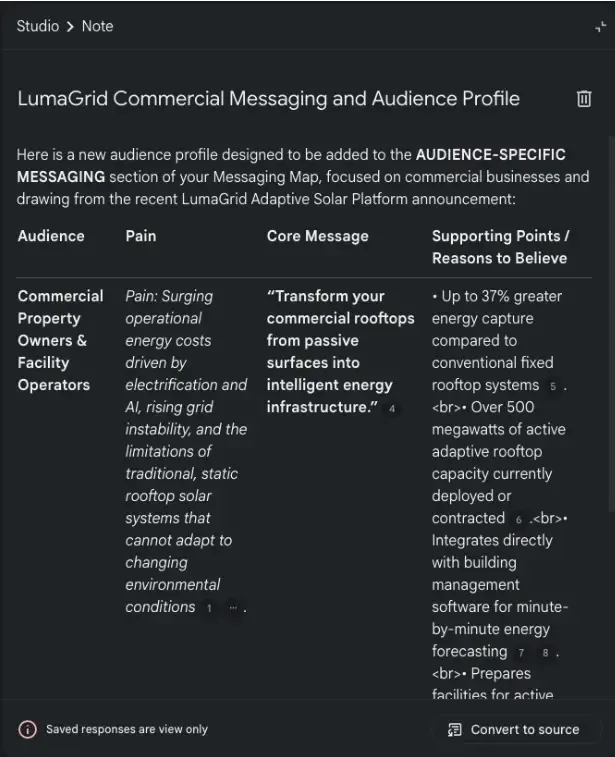
This can help accelerate strategy development while maintaining consistency across teams and communication channels. It also creates a more efficient process for keeping important business documents current as new information becomes available.
NotebookLM Content Creation Features
Beyond research and information management, NotebookLM includes a collection of tools designed to help users create, visualize, and share information in different formats.
These tools can help teams summarize complex topics, create presentations, visualize ideas, generate training materials, and uncover insights from large amounts of information. While the quality of the output will depend on the sources provided, these features can significantly reduce the time required to create first drafts and supporting materials.
From podcast-style summaries and presentation decks to mind maps and infographics, NotebookLM offers several ways to repurpose information and make it easier to consume, share, and apply across an organization.
Audio Overviews
NotebookLM has a useful feature called Audio Overviews, which transforms source materials into AI-generated, podcast-style conversations. Rather than reading through lengthy documents or meeting notes, users can listen to a summary of the information in a more conversational format.
Audio Overviews can be particularly useful for reviewing meeting discussions, learning new topics, or getting a high-level understanding of complex documents. They also provide a convenient way to consume information while commuting, exercising, or performing other tasks.
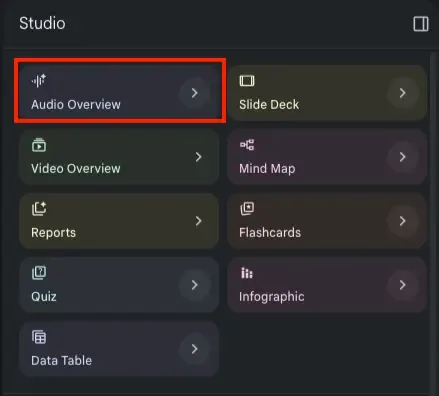
For the best experience, shorter audio overviews often provide more focused and concise summaries. Longer versions can sometimes include additional commentary and context that may not be necessary for every use case. As with any AI-generated content, these summaries should be reviewed alongside the original source materials when accuracy is important.
Slide Decks
Creating presentations can be a time-consuming process, especially when information is spread across multiple documents, meeting notes, and reports. NotebookLM's Slide Deck feature helps streamline this process by generating presentation content based on the sources within a notebook.
Rather than starting with a blank slide, users can generate an initial presentation structure that highlights key themes, insights, and supporting information from their source materials. This can be particularly helpful when preparing internal updates, project summaries, training sessions, or strategic presentations.
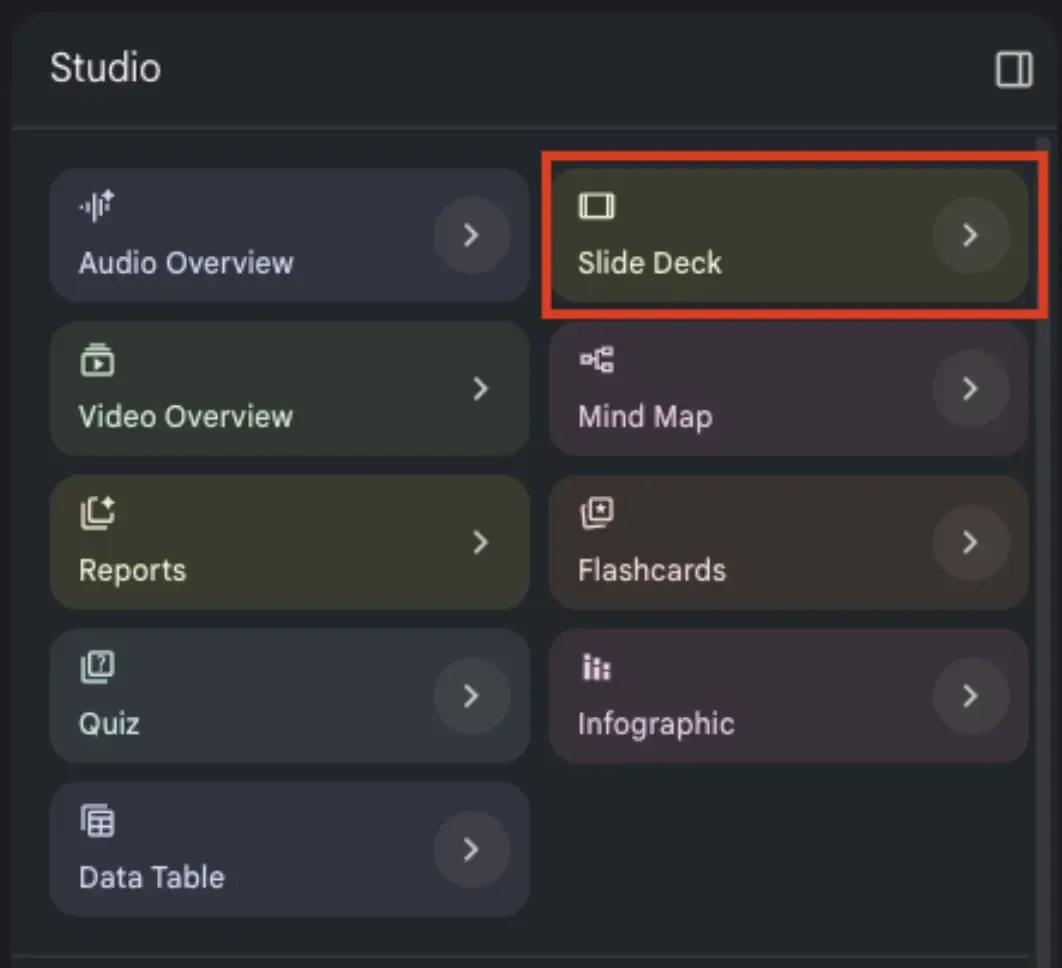
While the generated deck will likely require review and customization, it can significantly reduce the time spent organizing content and creating a first draft. For many teams, this provides a strong starting point that can be refined and customized to meet specific presentation goals.
Video Overviews
NotebookLM also includes Video Overviews, which use AI to transform information from your sources into visual presentations. These videos can help communicate ideas, explain processes, and summarize information in a format that may be easier for some audiences to understand.
For businesses, Video Overviews can be useful when introducing new concepts, reviewing training materials, or presenting information that benefits from visual context. By leveraging existing source materials, users can create a foundation for educational or informational content without starting from scratch.
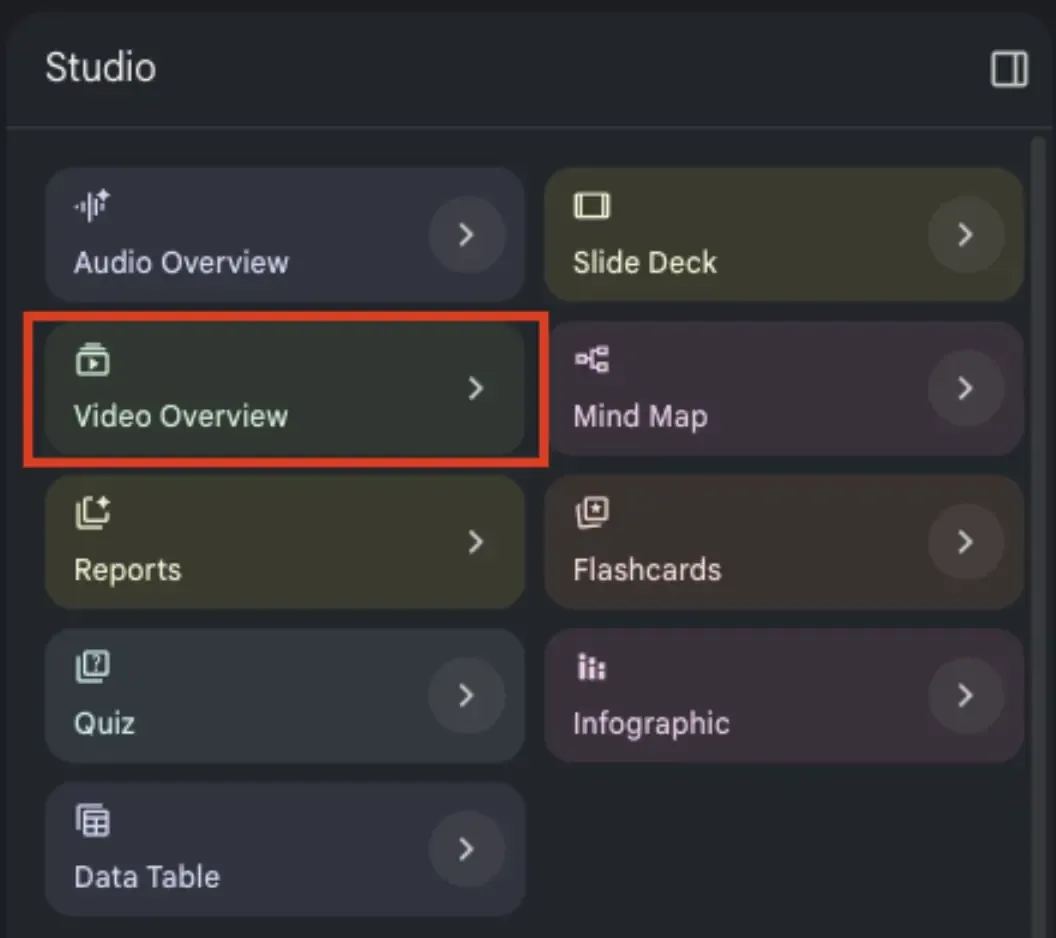
Like other AI-generated outputs, Video Overviews should be reviewed for accuracy and refined as needed. However, they can serve as a good starting point when developing content designed to inform, educate, or support internal communication efforts.
Mind Maps
When information is spread across multiple meetings, documents, and conversations, it can be difficult to see how ideas connect. NotebookLM's Mind Map feature helps organize information visually, making it easier to identify relationships, themes, and areas for further exploration.
By analyzing the sources within a notebook, NotebookLM can generate a visual representation of key concepts and how they relate to one another. This can be particularly useful during brainstorming sessions, strategic planning initiatives, content development projects, or team discussions.
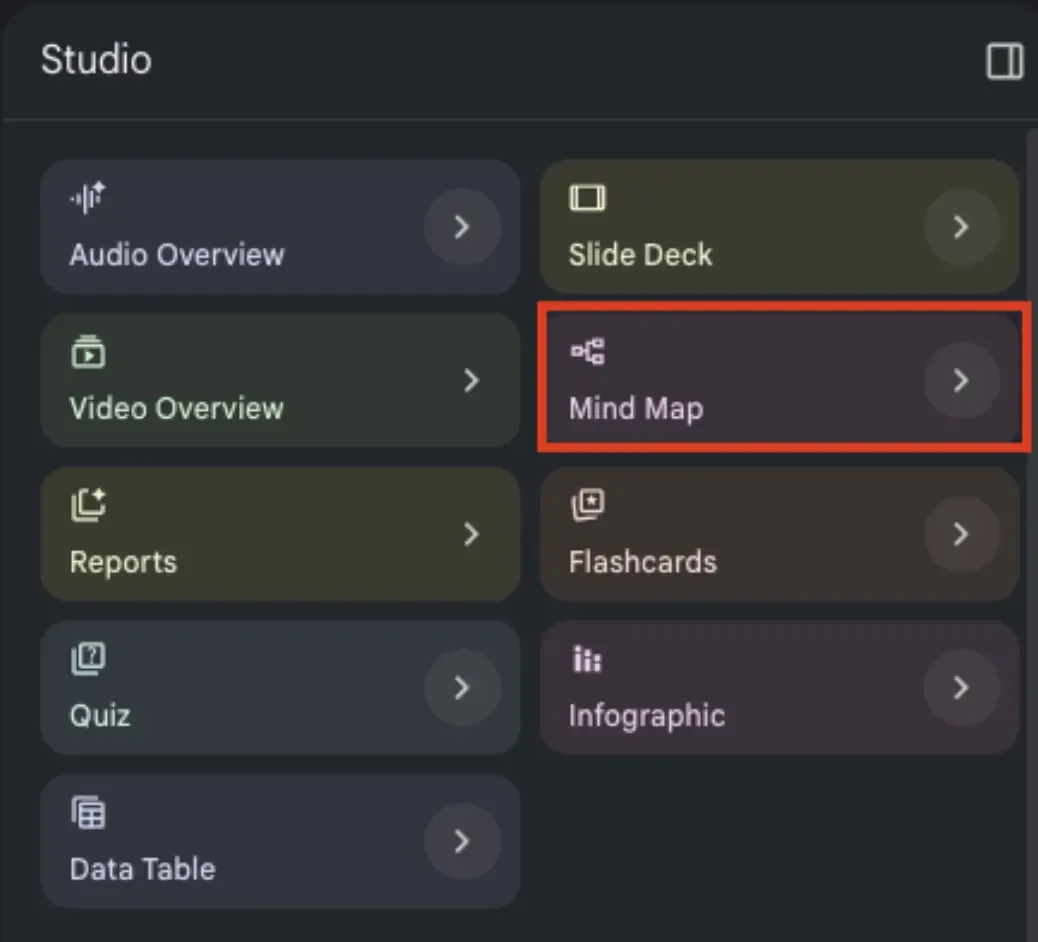
Mind maps can also help find connections that might otherwise be overlooked when reviewing information in a traditional document format. For teams working through complex topics or large amounts of information, this feature provides a simple way to visualize ideas and create a more structured understanding of the material.
Reports
NotebookLM's Report feature can help transform information from documents, meeting notes, and datasets into structured summaries and insights. This is particularly helpful when working with large volumes of information that would otherwise require significant time to review manually.
As NotebookLM continues to expand its capabilities, including support for Google Sheets, users can leverage reports to analyze data, identify trends, and summarize findings from multiple sources. Whether reviewing project updates, operational metrics, research findings, or meeting discussions, reports can help surface the information that matters most.
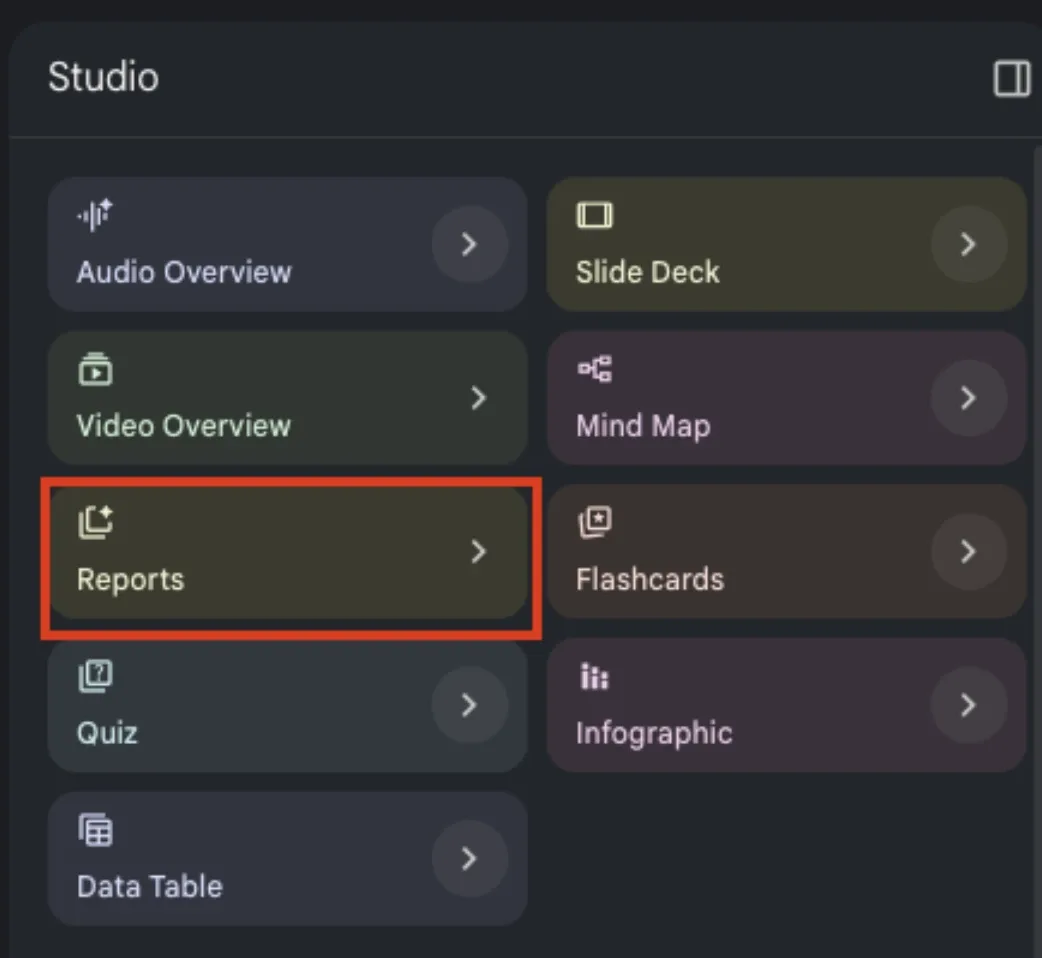
For business teams, this feature provides a faster way to synthesize information and create summaries that support decision-making. Instead of piecing together insights from multiple documents, users can generate a consolidated report that highlights key takeaways and areas requiring attention.
Flashcards and Quizzes
NotebookLM also includes learning tools designed to help users retain and reinforce information. The Flashcards and Quiz features can automatically generate study materials based on the sources within a notebook, making it easier to review concepts and test understanding.
These features can be useful for employee onboarding, professional development, training programs, and educational content. Rather than manually creating review materials, users can quickly generate flashcards and quizzes from existing documentation, meeting notes, and training resources.
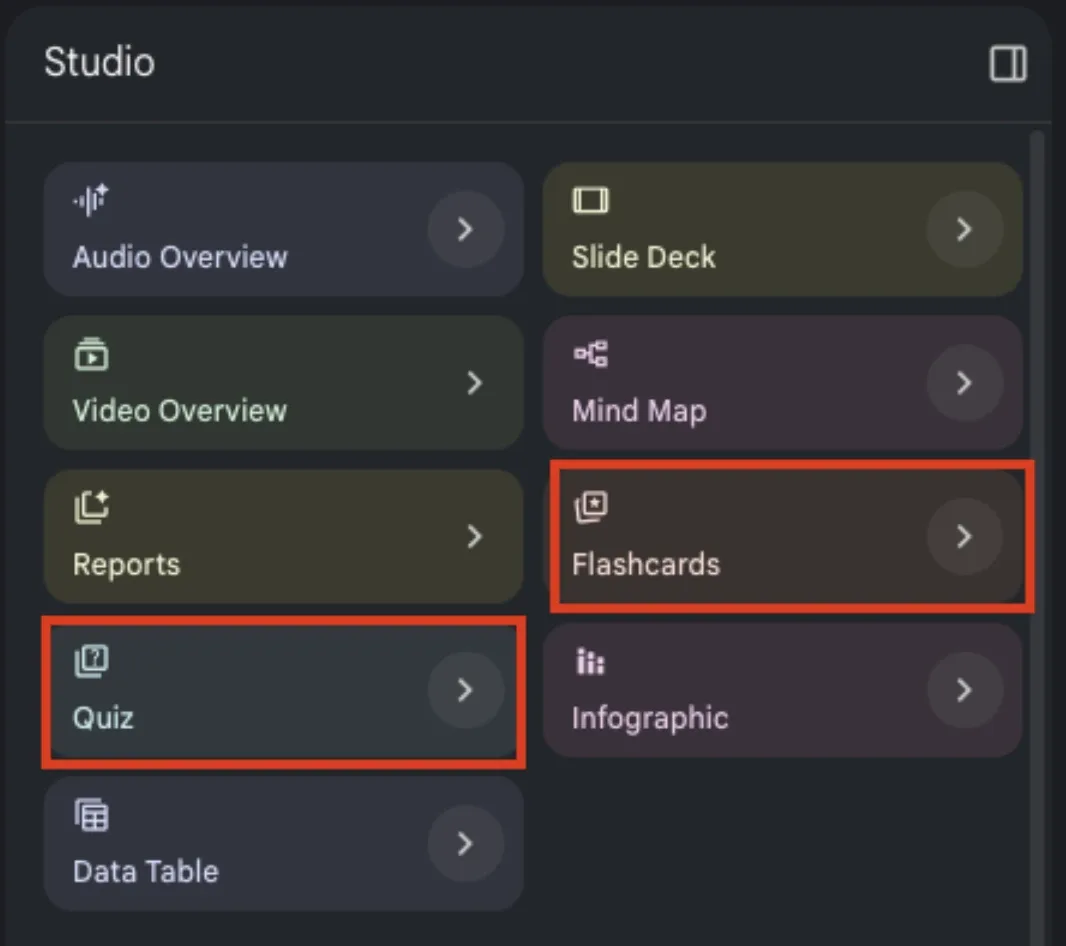
For organizations focused on knowledge sharing and continuous learning, these tools provide a practical way to transform information into engaging learning experiences while helping team members retain important information more effectively.
Infographics and Data Tables
NotebookLM offers additional ways to visualize and organize information through Infographics and Data Tables. These features can help convert complex information into formats that are easier to understand, share, and act upon.
The Infographic feature can generate visual summaries based on the content within a notebook, helping users communicate ideas, processes, and insights more effectively. While AI-generated graphics should be reviewed for accuracy, branding, and design consistency, they can provide a strong starting point.
Data Tables offer another way to structure information by organizing important details into a format that supports analysis and comparison. This can be useful when reviewing large amounts of information, identifying patterns, or extracting insights that may not be immediately apparent in a traditional document format.
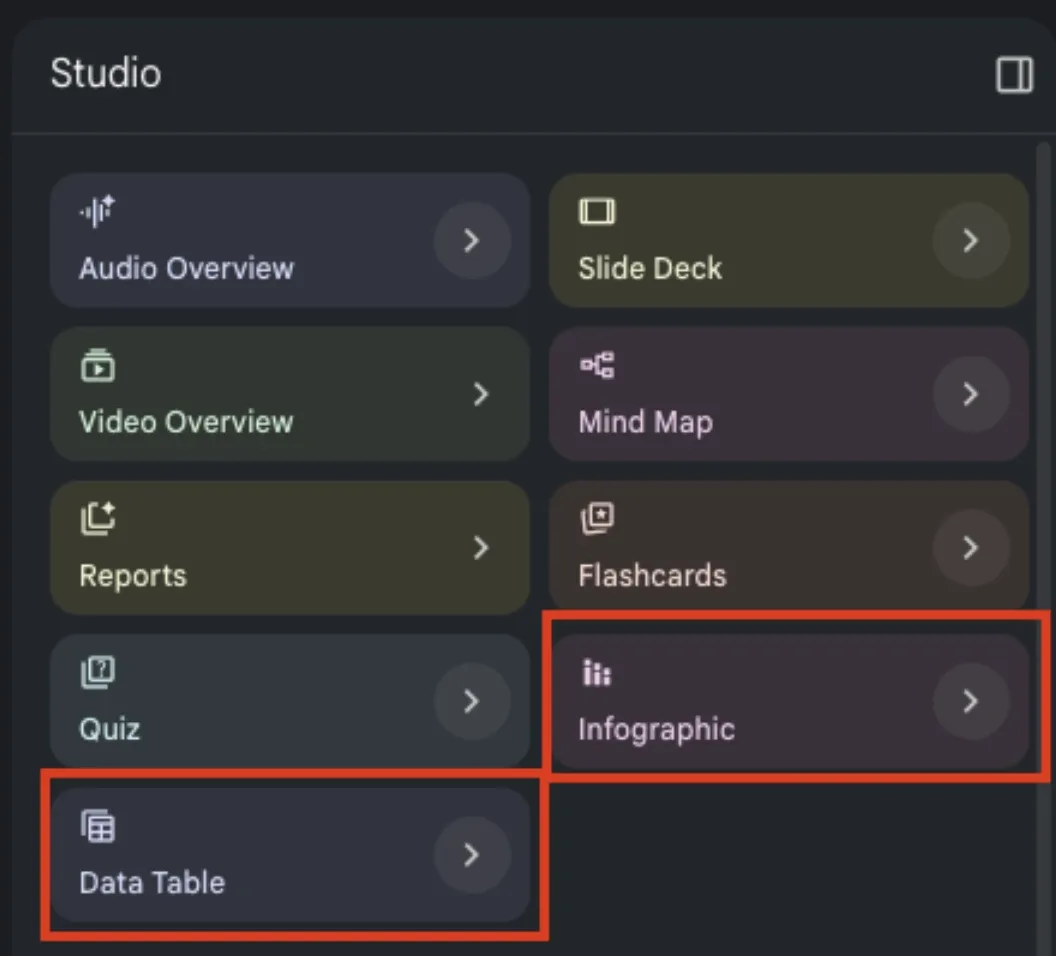
Together, these features help make information more accessible and provide teams with additional tools for communicating and analyzing the knowledge stored within NotebookLM.
Practical Use Cases for NotebookLM
While NotebookLM offers many features, its value lies in applying them to everyday business challenges. By combining all documents into a resource library, organizations can create more efficient workflows and reduce the time spent searching for information.
From refining messaging frameworks and creating content to evaluating website content and supporting employee onboarding, NotebookLM can help teams make better use of the information they already have. The following examples highlight several practical ways businesses can incorporate NotebookLM into their day-to-day operations.
1. Developing Messaging Frameworks
Maintaining consistent messaging across audiences, channels, and campaigns can become increasingly difficult as organizations grow. Messaging frameworks often evolve as teams gather new customer insights, enter new markets, and refine their positioning.
NotebookLM can support this work by surfacing relevant information from across your organization's knowledge base. Teams can use those insights to expand audience profiles, refine key messages, identify common pain points, and strengthen supporting proof points.
For example, a marketing team may have an established messaging map that outlines target audiences, core messages, and reasons to believe. As priorities shift, NotebookLM can help identify information that supports new audience segments and opportunities, making it easier to keep strategic documents current and aligned across teams.
2. Creative Content Outlines and Social Media Ideas
Content teams can use NotebookLM to organize ideas, identify themes, and develop content that aligns with established messaging. By analyzing all saved assets, it can identify themes and generate ideas that align with established messaging.
Content creators can use NotebookLM to develop blog post outlines, organize talking points, identify supporting information, and gather relevant insights from multiple sources. This can help reduce the time spent researching and structuring content while ensuring consistency across topics and channels.
The platform can also assist with drafting social media content by drawing from existing materials and messaging. While AI-generated content should always be reviewed and refined before publication, NotebookLM can help accelerate the brainstorming process and provide a useful starting point for future campaigns and content initiatives.
3. Evaluating and Updating Website Content
Website content often evolves, making it difficult to ensure every page reflects current messaging, priorities, and business goals. Reviewing dozens of pages manually can be a time-consuming process, particularly when multiple stakeholders are involved.
NotebookLM can help simplify content audits by using website URLs as sources. Once pages have been added to a notebook, teams can ask questions about the content, identify inconsistencies, and compare messaging across multiple pages.
For example, after updating a messaging framework, a marketing team could ask NotebookLM to review existing website pages and determine whether they align with the organization's current positioning. The platform can highlight potential gaps, identify areas that may need revision, and provide recommendations for improvement.
This approach can help teams prioritize updates, maintain consistency across their website, and create a more efficient process for ongoing content optimization.
Making the Most of Google NotebookLM
Google NotebookLM brings research, documentation, meeting notes, and business knowledge into a single workspace where information is easier to organize, reference, and apply.
From organizing internal knowledge to supporting content development and website reviews, NotebookLM offers a practical way to bring information together and put it to work. The platform's strength lies in its ability to connect information across multiple sources and turn it into actionable insights.
As with any AI tool, results depend on the quality of the information provided and the oversight of the people using it. When paired with thoughtful review and clear business objectives, NotebookLM can become a valuable resource for improving efficiency, supporting collaboration, and helping teams work with greater clarity and consistency.