
Paid media creative needs to do more than just look great. It has to feel natural in its environment, deliver a clear message quickly, work seamlessly across devices, and meet every technical requirement of the platform.
That can get tricky fast. A single campaign often needs multiple aspect ratios, image sizes, file types, video lengths, and messaging variations across paid social, search, programmatic display, connected TV, and online video. Knowing these specs upfront helps your team get ads approved smoothly and gives creators the freedom to build assets customized to each specific placement.
We put this guide together for digital marketers, media buyers, advertisers, creative teams, and agencies who are planning or managing paid media campaigns. Inside, we break down formats and specifications across major channels like Meta, Google Demand Gen, YouTube, connected TV, and programmatic advertising. We cover recommended ad sizes, aspect ratios, file formats, video specs, and creative best practices so you can produce and launch campaign assets with confidence.
Because meeting a platform's requirements is only the starting point. The strongest creative is built for its environment, not simply resized to fit it.
What Are Paid Media Formats and Specifications?
Paid media formats and specifications outline how an ad needs to be built for a specific platform, placement, or device. They cover everything from image shapes and pixel sizes to file types, video durations, resolutions, and other technical guidelines.
But there's an important distinction between meeting a specification and building effective creative.
A platform might accept a single image for several placements, but that doesn’t mean it will look or perform its best everywhere. For instance, cropping a horizontal video into a vertical space can cut off key visuals, make text hard to read, or disrupt the narrative flow.
That's why paid media creative specs should inform the creative process from the beginning, not become a checklist at the end of production.
Different channels also serve fundamentally different viewing environments. Social media ads compete for attention on a mobile screen. Display ads may be seen for only a moment while someone is reading a webpage. CTV ads are viewed on larger screens, often from a distance. Each environment calls for a different approach to format, composition, messaging, and production.
When you tailor your content to these environments, you do more than check a technical box. You create memorable ad experiences that fit naturally into how people browse.
Terms to Know
Paid media formats and specifications can involve a lot of production terminology.
Understanding a few key distinctions makes it easier to interpret platform requirements and, more importantly, to understand how those requirements affect the way creative should be built.
Ad Format 
The type or structure of an advertisement. Common formats include static images, carousels, video, native ads, responsive ads, and HTML5 ads. The format determines how the creative is presented and, in some cases, how users can interact with it.

Ad Format
The type or structure of an advertisement. Common formats include static images, carousels, video, native ads, responsive ads, and HTML5 ads. The format determines how the creative is presented and, in some cases, how users can interact with it.
Meta Ad Specifications
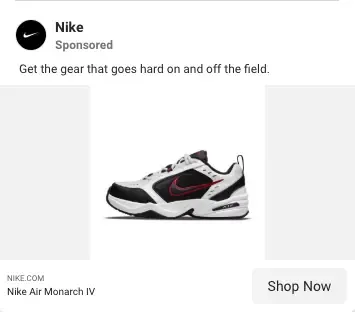
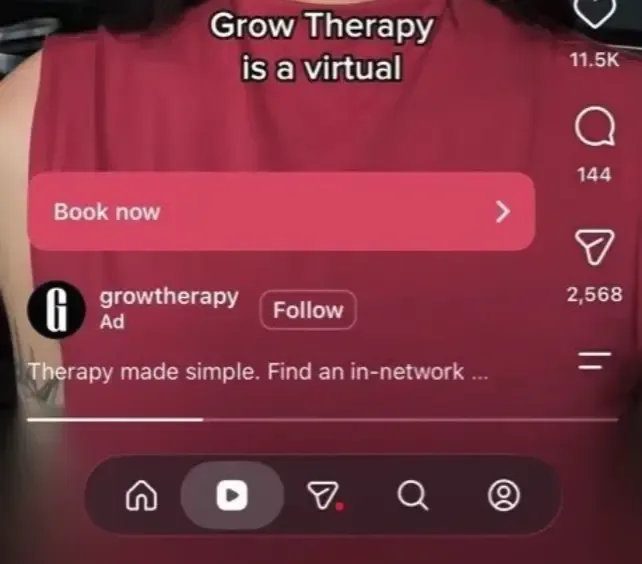
Meta advertising supports a range of image, video, and carousel formats across Facebook and Instagram placements. Because creative can appear in feeds, Stories, Reels, and other placements, advertisers can use different aspect ratios and dimensions to better fit each environment.
The technical requirements below provide a practical starting point for building Meta creative. Requirements can vary by placement and may change over time, so confirm current specifications before production or launch.
Image Ad Specifications
| Specification | Requirement |
| File Format | JPG or PNG |
| Aspect Ratios | 1:1, 9:16, 16:9 |
| Common Dimensions | 1200 × 1200, 1080 × 1080, 1080 × 1920, 1920 × 1080 px |
| Maximum File Size | 30 MB |
Different aspect ratios are useful for different placements. 1:1 square assets can work across a variety of placements, while 9:16 vertical creative is particularly suited to full-screen environments such as Stories and Reels. 16:9 horizontal assets are useful for wider placements.
The key consideration isn’t simply whether an asset can technically be used in a placement. Composition matters, too. An image designed specifically for a vertical placement can give the subject, headline, and branding considerably more room than a horizontal asset that’s simply been cropped.
Video Ad Specifications
| Specification | Requirement |
| File Format | MP4, MOV, or GIF |
| Aspect Ratios | 1:1, 9:16, 16:9 |
| Common Dimensions | 1200 × 1200, 1080 × 1080, 1080 × 1920, 1920 × 1080 px |
| Video Duration | :15–:60 seconds* |
| Maximum File Size | 4 GB |
| Captions | Optional, but recommended |
| Sound | Optional, but recommended |
*Confirm duration requirements for the specific placement and campaign type before launch.
For video campaigns, consider creating multiple versions of the same concept rather than simply cropping one asset into every format. A 9:16 vertical video, for example, gives considerably more screen real estate on a mobile device than a 16:9 horizontal video.
Video also needs to work in environments where users may not be actively listening. Captions and clear on-screen messaging can help communicate the core idea without relying entirely on sound, while voiceover can add context and reinforce the message when audio is available.
Carousel Ad Specifications
Carousel ads allow advertisers to showcase multiple images or videos within a single ad. Users can swipe through individual cards, making this format useful for product features, multiple services, sequential storytelling, or showcasing different creative concepts.
| Specification | Requirement |
| Image File Format | JPG or PNG |
| Video File Format | MP4, MOV, or GIF |
| Aspect Ratio | 1:1 |
| Recommended Resolution | 1080 × 1080 px |
| Number of Cards | 2–10 |
| Maximum Image File Size | 30 MB |
Because carousel ads contain multiple cards, consistency matters. Each card should work as an individual creative while still feeling like part of the same ad. This makes the format particularly useful when the goal is to walk someone through a product, service, process, or series of related benefits.
Meta Creative Best Practices
When developing Meta ad creative, the placement and viewing environment should influence how the creative is designed.
Design mobile-first. Prioritize legibility and visual hierarchy for smaller screens.
Keep messaging concise and immediately clear. The primary takeaway should be easy to understand at a glance.
Use captions to convey the message without sound. Don't make audio a requirement for understanding the core message.
Use voiceover strategically. Voiceover can add context and reinforce the message, particularly when paired with supporting on-screen text.
Make branding prominent. Make it clear who the ad is from without allowing branding to overwhelm the primary message.
Keep important elements centered. Position key text, logos, products, and other important visual elements where they are less likely to be obscured by platform UI or compromised by cropping.
Create placement-specific versions when appropriate. Rather than treating resizing or cropping as the final step, consider how the concept should be composed for each format from the beginning.
The goal isn't to create one asset that technically works everywhere. It's to create a system of assets that gives each placement the creative it needs to communicate effectively.
Google Demand Gen & YouTube Creative Specs
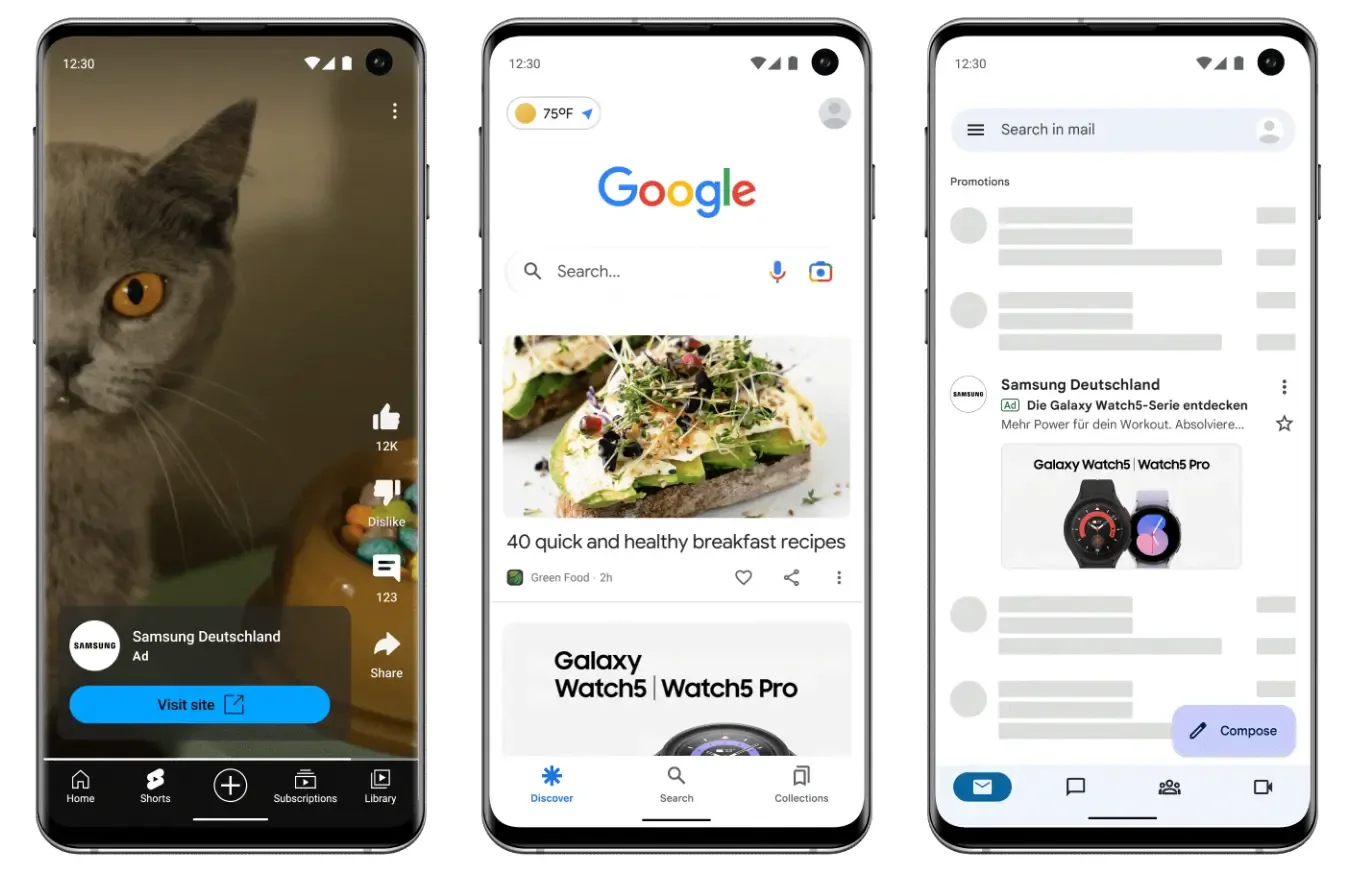
Google Demand Gen campaigns use a variety of visual formats across YouTube, YouTube Shorts, Discover, Gmail, the Google Display Network, and Maps. Because these placements appear in different settings, sharing multiple image sizes and orientations helps your ads reach more places and look great everywhere.
Demand Gen supports horizontal, square, and vertical image assets, giving advertisers flexibility across different placements and screen sizes. Rather than designing one asset and adapting it everywhere, Google recommends providing multiple assets in each supported aspect ratio.
Because platform guidelines update over time, we recommend checking Google's current creative specifications to confirm details before launching your campaign.
Image Ad Specifications
| Creative Type | Aspect Ratio | Recommended Size | Minimum Size | Max File Size |
| Square | 1:1 | 1200 × 1200 px | 300 × 300 px | 5 MB |
| Horizontal | 1.91:1 | 1200 × 628 px | 600 × 314 px | 5 MB |
| Vertical | 4:5 | 960 × 1200 px | 480 × 600 px | 5 MB |
| Vertical / Shorts | 9:16 | 1080 × 1920 px | 600 × 1067 px | 5 MB |
Supported image file formats include JPG and PNG. Providing multiple orientations gives Google more flexibility to match creative to different placements and available inventory.
When designing image assets, keep important logos, text, and calls to action within the central safe zone. This helps protect key elements when creative is adapted or displayed within different placement environments.
Video Ad Specifications
Video creative can be used across Demand Gen placements, including YouTube and YouTube Shorts.
| Specification | Requirement |
| File Format | MPG (MPEG-2 or MPEG-4) |
| Maximum File Size | 256 GB |
| Minimum Video Duration | 5 seconds |
| YouTube In-Stream Eligibility | Videos shorter than 10 seconds are not eligible |
| Supported Aspect Ratios | Horizontal, square, vertical |
The video requirements should be verified against Google's current specifications before publication, particularly the supported file formats, aspect ratios, and size limits. The image dimensions above should not automatically be carried over to the video chart simply because the same orientations are supported.
Why Multiple Creative Sizes Matter
One of the biggest considerations when developing Demand Gen creative is that one asset does not necessarily work equally well across every placement. A horizontal image may work well in one environment but leave less room for the subject, headline, or call to action when adapted to a vertical placement.
Google recommends providing creative across horizontal, square, and vertical aspect ratios to increase coverage across available inventory. For Demand Gen specifically, publishing requires ensuring you include at least one square and one vertical asset alongside your horizontal formats, as providing multiple options across these required aspect ratios gives the system the creative fuel it needs to match different placements.
This is also a useful distinction between asset availability and creative effectiveness. Having a technically eligible asset doesn't mean it is the strongest version for every placement. Building the composition around the intended format gives the creative a better chance of communicating clearly once it leaves the design file and enters the actual ad environment.
Connected TV (CTV) Creative Specifications
Connected TV (CTV) advertising brings video ads to streaming services and smart TVs. Unlike mobile or social feeds, CTV content is made for larger living room screens. That makes sharp video resolution, crisp audio with clear voiceover, and readable on-screen text particularly important.
CTV specifications can vary by DSP, publisher, streaming platform, and inventory source. The requirements below represent common specifications across many CTV partners, but advertisers should confirm the requirements for the specific inventory and platform where the creative will run.
For additional guidance on CTV formats, technical requirements, and newer interactive options, see Equativ's 2026 Guide to CTV Ad Formats, Specs & Enhancements.
Video Ad Specifications
| File Format | Max File Size | Resolution | Aspect Ratio | Video Bitrate | Frame Rate | Audio Bitrate | Common Durations |
| MP4 | 200 MB | 1920 × 1080 | 16:9 | Min. 5.4 Mbps | 23.98 or 29.97 fps | Min. 160 kbps | :15, :30, :60 |
CTV Creative Best Practices
Technical compliance is only the starting point. CTV creative also needs to account for how and where people are watching.
Use large, readable text and logos. Viewers are usually sitting across the room, so small text that works on a computer can be hard to read on a television screen.
Pair voiceover with on-screen messaging. Give viewers a way to understand the message whether they are actively listening or simply watching.
Keep the message focused. CTV offers a big canvas, but you do not need to pack it full. A single, focused message is much easier for viewers to absorb.
Establish the brand early. Introduce your brand in the first few seconds so audience members know right away who the ad is from.
Use a clear CTA and end card. Give viewers an obvious next step, particularly for campaigns designed to drive action beyond awareness.
Consider a scannable QR code. QR codes can connect the TV viewing experience to a mobile action, such as visiting a landing page or requesting more information.
Create versions for different ad lengths. When possible, develop separate :15, :30, and :60 versions rather than simply cutting down a longer spot.
CTV creative is built for a different viewing experience than most digital advertising. The strongest assets account for readable composition, clear audio, early branding, and a focused message while meeting the technical requirements of the specific platform or inventory source.
Programmatic Display Creative Specifications
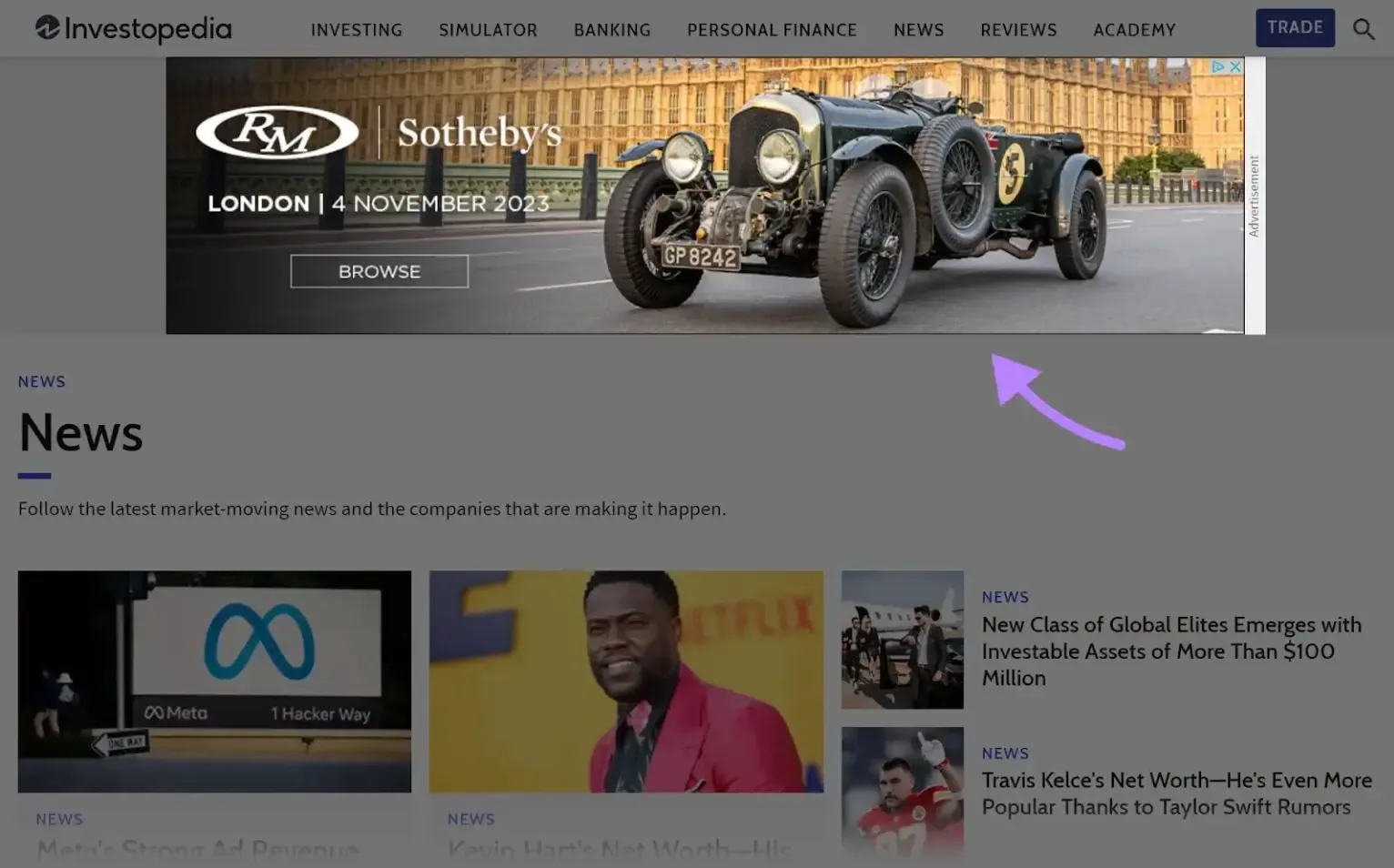
Programmatic display advertising uses visual ads that are served across websites, mobile apps, and digital publishers through automated media-buying platforms. Learn more about our approach on our Programmatic Advertising service page. Creative requirements can vary by DSP, publisher, and inventory source, but several standard formats and specifications are commonly used when preparing static and animated display banners.
For a broader reference on standard banner dimensions and programmatic display formats, see Gourmet Ads’ guide to standard banner ad sizes for programmatic advertising.
Static Banner Specifications
| Specification | Requirement |
| File Formats | GIF, JPG, or PNG |
| Maximum File Size | 200 KB |
| Common Ad Sizes | 160 × 600, 300 × 250, 300 × 600, 320 × 50, 728 × 90 |
Animated Banner Specifications
| Specification | Requirement |
| Ad Sizes | 160 × 600, 300 × 250, 300 × 600, 320 × 50, 728 × 90 |
| Maximum Duration | 15–30 seconds |
| File Formats | HTML5, animated GIF, or PNG |
| HTML5 File Size | Typically 150–500 KB |
| Click Tracking | ClickTag implementation for HTML5 (for guidance on setup, see our post on how to report on offline conversions in Google Ads) |
| SSL/HTTPS | Assets should be fully SSL compliant |
Display Creative Best Practices
Programmatic display ads often have a limited amount of time and space to capture attention. Creative should communicate the brand, message, and intended action quickly, even when someone only sees the ad briefly.
Consider:
Keep copy concise. Focus on one clear message rather than trying to communicate everything in a single banner.
Make branding prominent. Viewers should be able to identify the advertiser quickly.
Use a clear CTA. Give the viewer an obvious next step without overcrowding the creative.
Design for smaller screens. Mobile placements offer limited space, so text and visual elements need to remain legible at smaller sizes.
Maintain visual contrast. Strong contrast between the background, copy, branding, and CTA helps the ad remain visible within a busy webpage or app.
Visual Resources
PROGRAMMATIC DISPLAY AD SIZES
160 × 600 → Skyscraper
300 × 250 → Medium Rectangle
300 × 600 → Half Page
320 × 50 → Mobile Banner
728 × 90 → Leaderboard
Native Display Creative Specifications
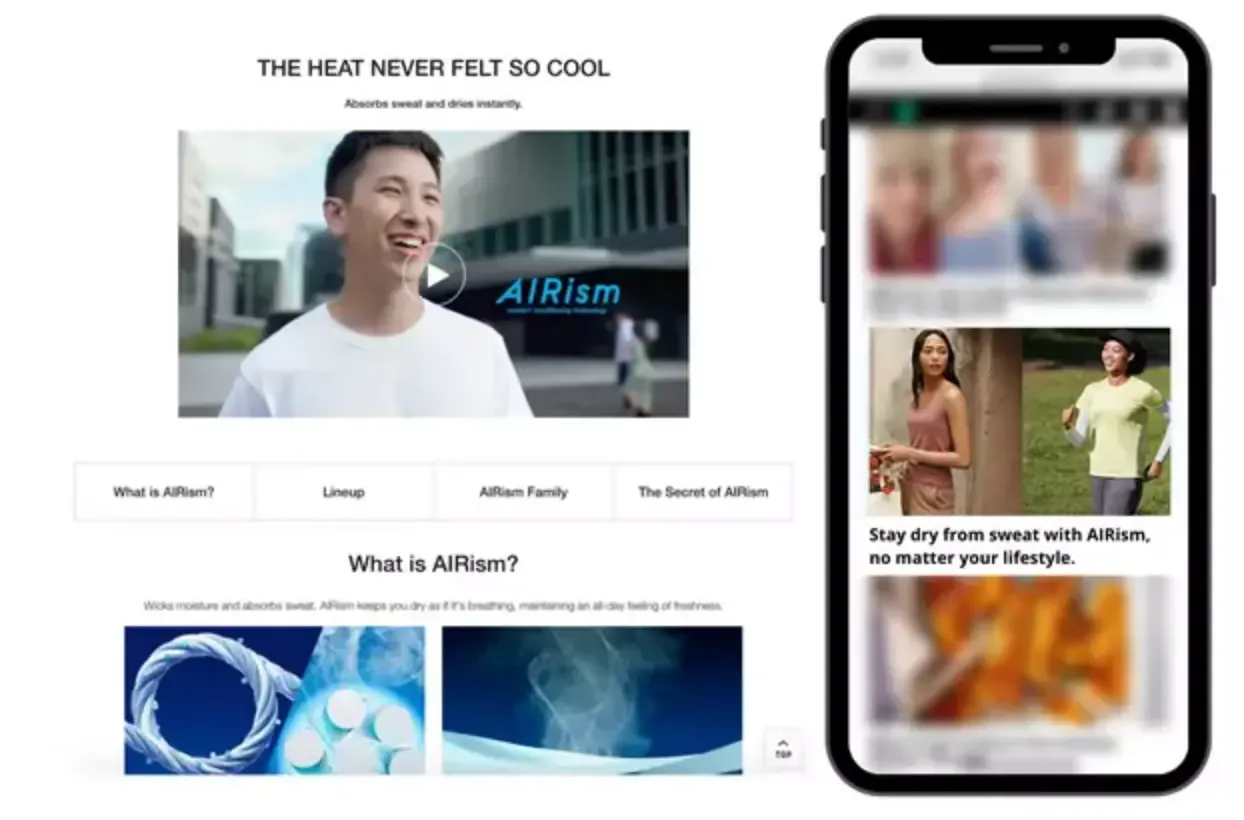
Native advertising is designed to blend naturally with the surrounding content and user experience of a publisher's website or app. Because native ads often appear alongside editorial or recommended content, strong imagery and concise messaging are especially important.
Native creative still needs to be recognizable as advertising. The goal is not to disappear into the surrounding content, but to create an experience that feels relevant to the placement while maintaining clear branding.
Image Specifications
| Specification | Requirement |
| Landscape | 1200 × 627 px |
| Aspect Ratio | 1.91:1 |
| Square | 600 × 600 px or 1200 × 1200 px |
| Aspect Ratio | 1:1 |
| File Formats | JPEG, PNG, or non-animated GIF |
| File Size | Typically under 1–2.5 MB; ~750 KB or less is recommended |
| Text Overlay | Keep text overlays minimal; requirements vary by platform |
Native Display Creative Best Practices
Because native ads are designed to fit within the surrounding content, creative should feel visually relevant without sacrificing brand recognition.
Consider:
Use high-quality imagery. The image should communicate something on its own without requiring extensive text.
Keep text overlays minimal. Let the ad's headline, description, and other copy carry the detail.
Include recognizable branding. Even when creative is designed to feel native to the surrounding experience, the advertiser should remain clear.
Design for mobile. Native placements are frequently consumed on smaller screens, so imagery, text, and branding should remain effective at mobile sizes.
For additional examples of standard display formats and dimensions, Gourmet Ads' standard banner ad size guide provides a useful reference when planning display creative.
How to Use Paid Media Creative Specifications
Creative specifications work best when you plan for them before production starts. Reviewing platform requirements early helps your marketing and design teams avoid extra revisions and create assets that are ready for launch.
A practical process looks like this:
1. Start With the Placement
Before creating an asset, determine where the ad will appear. A Facebook Feed ad, Instagram Story, CTV spot, and programmatic banner each have different viewing environments and creative requirements.
The placement should inform the format, aspect ratio, dimensions, messaging, and composition from the start.
2. Identify the Required Specifications
Once the placement is defined, review the applicable platform or publisher requirements. Check the required dimensions, aspect ratio, file format, file size, video length, resolution, and any additional technical requirements such as ClickTag implementation or SSL compliance.
Specifications can change, so use the platform's current documentation whenever possible.
3. Build for the Placement, Not Just the Requirement
Meeting the technical requirements does not necessarily mean an asset is optimized for the placement. Consider how the creative will actually be viewed.
A vertical placement may require a different composition than a horizontal one. A mobile ad may need larger text and fewer visual elements. A CTV spot may need stronger audio and larger on-screen messaging than a display banner.
The goal is not simply to resize one asset into every required dimension. It is to adapt the creative so it works within each environment.
4. Create the Necessary Variations
If a campaign runs across multiple channels or placements, determine which creative variations are needed before production begins. This might mean creating separate 1:1, 4:5, 9:16, and 16:9 versions rather than relying on automated cropping.
Building these variations intentionally gives each asset a better chance of looking and functioning as intended.
5. Complete a Technical Check Before Launch
Before handing creative off for trafficking or launch, confirm that every asset meets the applicable specifications. Check dimensions, file type, file size, duration, resolution, links, tracking requirements, and any platform-specific restrictions.
A final technical review can catch issues before they become launch delays.
Paid Media Creative Best Practices
Across channels, a few principles consistently make the creative production process easier and more effective:
Specifications are a starting point, not the strategy. Technical compliance gets an asset approved. It does not automatically make the creative effective.
Design for the environment. Consider screen size, viewing distance, placement, user behavior, and the amount of time someone is likely to spend with the ad.
Build variations intentionally. When placements have different aspect ratios or dimensions, create versions that are designed for each environment rather than relying entirely on automated resizing or cropping.
Keep the message focused. More information does not necessarily make an ad more effective. Give the viewer one clear takeaway and an obvious call-to-action.
Make the brand easy to recognize. Branding should be visible without overwhelming the creative.
Account for sound and sound-off viewing. Video creative should communicate through both audio and visual elements. Incorporating a clear voiceover is essential to reach multitasking users who may not be watching the screen but are still listening
Check current platform requirements. Specs can change as platforms introduce new placements, formats, and technical requirements. Always verify requirements before final production and launch.
Keep the source files organized. Maintaining editable source files and clearly labeled exports makes it easier to create new sizes or versions when campaign requirements change.
Resources for More Details on Paid Media Specifications
Paid media specifications can vary by platform, placement, publisher, and inventory source. The requirements in this guide are intended as a practical reference, but platform documentation should always be checked before finalizing creative for a campaign.
If you need to confirm a specific requirement or explore additional formats, these resources provide more detailed guidance:
Meta: Meta Ads Guide and Creative Specifications for current image, video, carousel, and placement requirements across Facebook and Instagram.
Google Ads: Demand Gen specifications for current image and video requirements across Demand Gen placements.
CTV: Equativ's 2026 Guide to CTV Ad Formats, Specs & Enhancements provides additional information on CTV formats, technical requirements, and emerging creative options.
Programmatic Display: Gourmet Ads' guide to standard banner ad sizes for programmatic advertising provides a useful reference for common display ad dimensions and formats.
When requirements conflict across platforms or inventory sources, always use the specifications provided by the platform or publisher where the ad will actually run.
Putting Paid Media Creative Specs Into Practice
Paid media creative specifications are the technical foundation of a campaign, but meeting the requirements is only the starting point. The strongest creative accounts for more than file type and dimensions. It considers where the ad will appear, how people will encounter it, what they need to understand, and what action they should take next.
That means creative should be built for the placement from the beginning, with the right format, composition, messaging, and variations for each channel. When technical requirements and creative strategy work together, brands can spend less time troubleshooting assets and more time building creative that supports campaign performance.
Ready to Build a More Effective Paid Media Strategy?
At Workshop Digital, we help brands plan, launch, and optimize paid media campaigns across all major channels. From creative specs and audience targeting to campaign measurement and ongoing optimization, our team is here to connect your paid media efforts with your overarching business goals. Ready to maximize your campaign performance? Get in touch with our team today to start scaling your paid media strategy.