This past quarter, our team took on an ambitious challenge: every team member would design, test, and share an AI-powered workflow tailored to their own work. The idea wasn’t to chase shiny tools or automate for automation’s sake; it was to understand how AI could actually make our jobs easier, smarter, and more impactful.
We called it our Q3 “rock.” (In other words, a project for the entire team.) By the end of the quarter, we’d done it! 100% participation across the team. Every person built something functional that addressed a real workflow challenge.
Along the way, we learned how to write better prompts, connect APIs, build automations, and troubleshoot the quirks of platforms like Zapier, Make.com, and Gemini. More importantly, we learned how to approach AI not as a magic solution, but as a practical tool… one that can streamline tasks, reveal insights, and make space for higher-value work.
The project didn’t just produce tools; it produced momentum. People who’d never coded before built automations from scratch. Those already experimenting with AI refined their methods and shared what worked. By the end, we had a collection of real, working examples that reflect both the variety of our roles and the creativity of our team.
What We Built Through New AI Workflows
When we set this goal, most of us had never built an automation or workflow from scratch. We use AI in our day-to-day work, but creating something new — something that runs on its own — was unfamiliar territory.
The results were a mix of creativity, experimentation, and trial and error. Some projects automated tasks that used to take hours. Others improved existing processes or opened the door to entirely new ways of working.
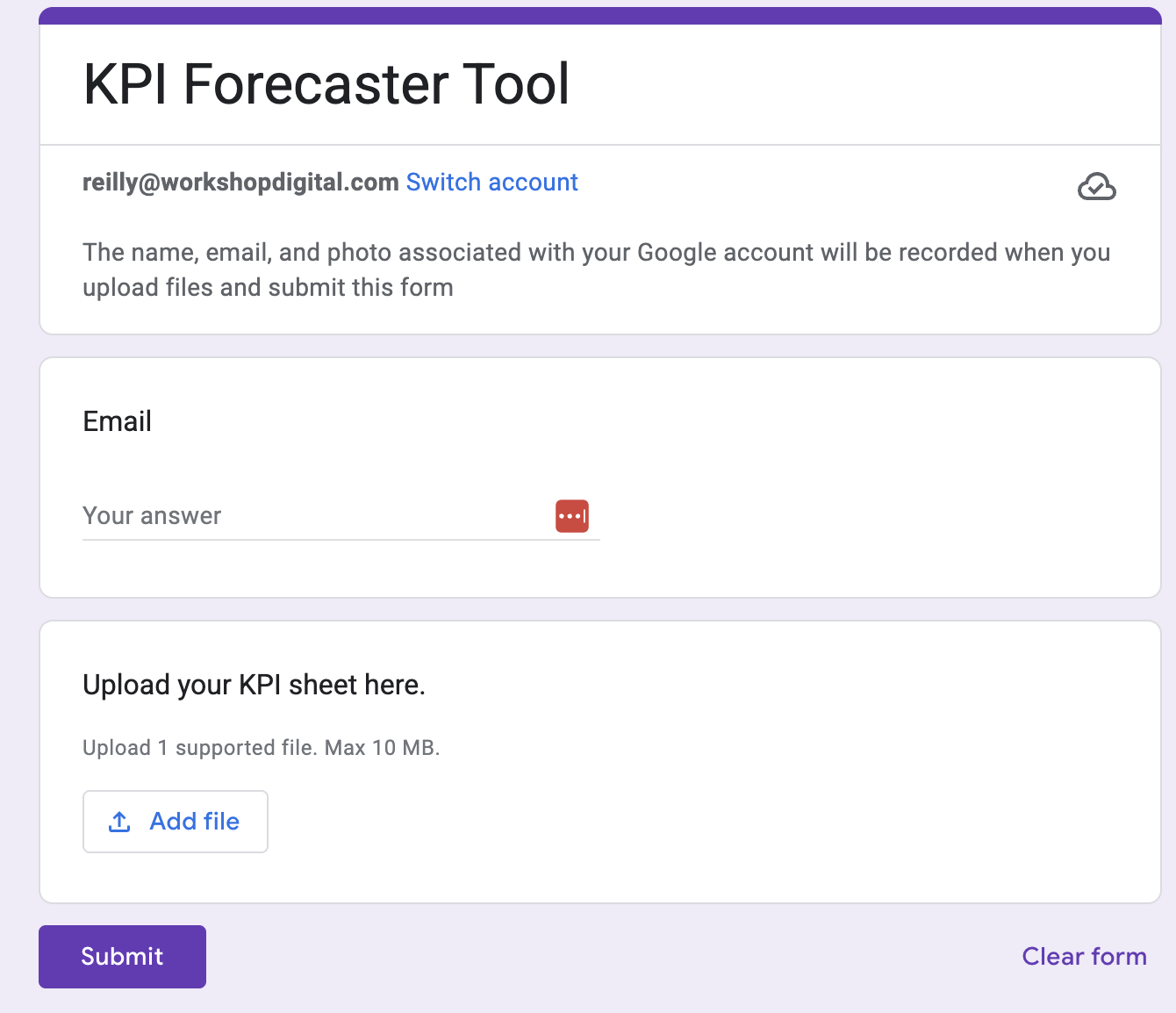
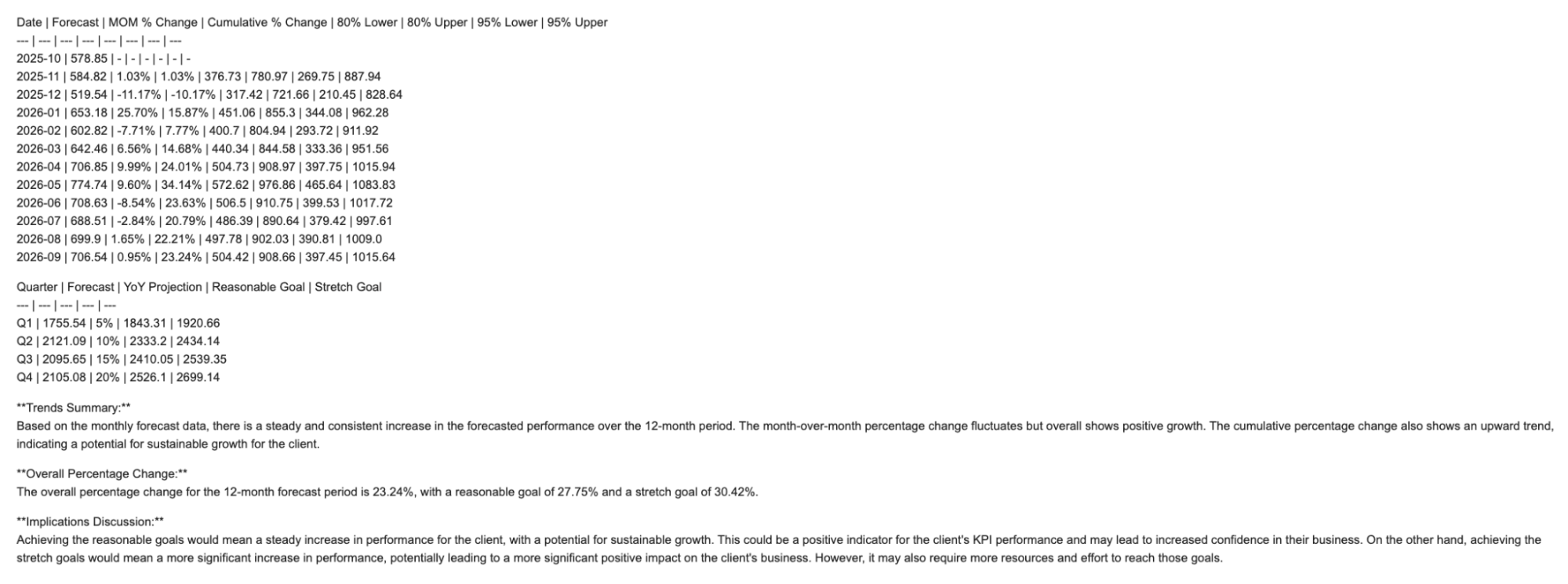
Reilly Phelps’ project tackled our KPI forecasting process and made it more efficient. She had previously created a KPI forecasting code in RStudio, but people kept running into issues within the platform, which made it difficult to run. Instead, she rebuilt the code in Python and connected it to Google Forms and Gemini through Zapier. The result? A workflow that anyone can now use — no special environment required. It’s faster, more stable, and produces better predictive insights, and formats the results into a Google Sheet so our team can start digging in immediately.
Submission form:
Process Results (Email Format):
Hannah Johnson took a different route, building a Zapier-based tool that curates and summarizes daily AI and SEO news. It’s a small automation, but it makes a big difference in staying up to date in a fast-moving field. She described the process as “breaking things into small steps so you can test and tweak what you’re working on more easily” — a good lesson in how building with AI often works best iteratively.
Email Format:
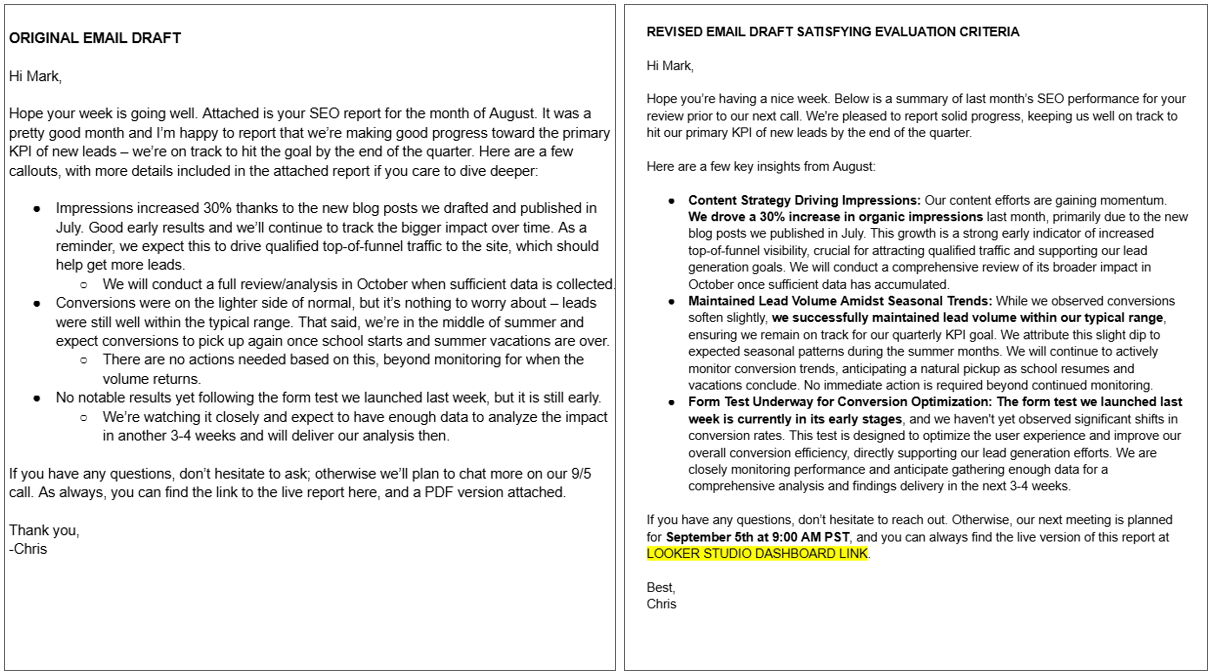
Chris LaRoche focused on improving communication. His Make.com workflow helps analysts craft performance reporting email summaries in a consistent, professional tone… something that used to take significant time to review manually across dozens of clients. Not only does the workflow provide constructive feedback on an analyst’s first draft, but it also provides an optimized email variant for analysts to amend with specific client details that can be confidently passed through our points of contact up to senior stakeholders with an enhanced quality & style. This gives our management and analyst teams more time to refine analysis and next steps rather than worry about wordsmithing an email.

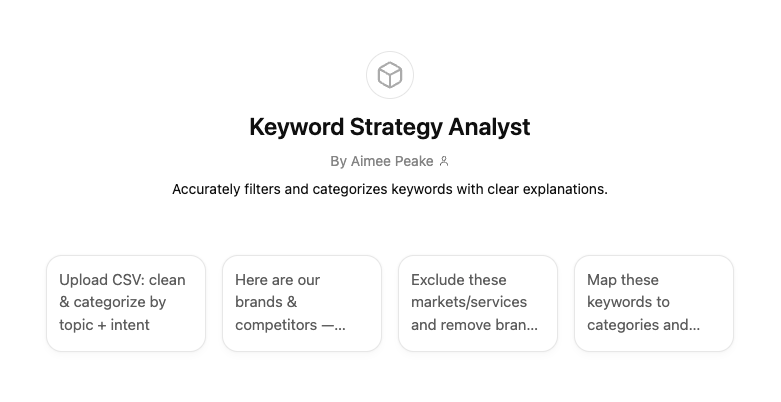
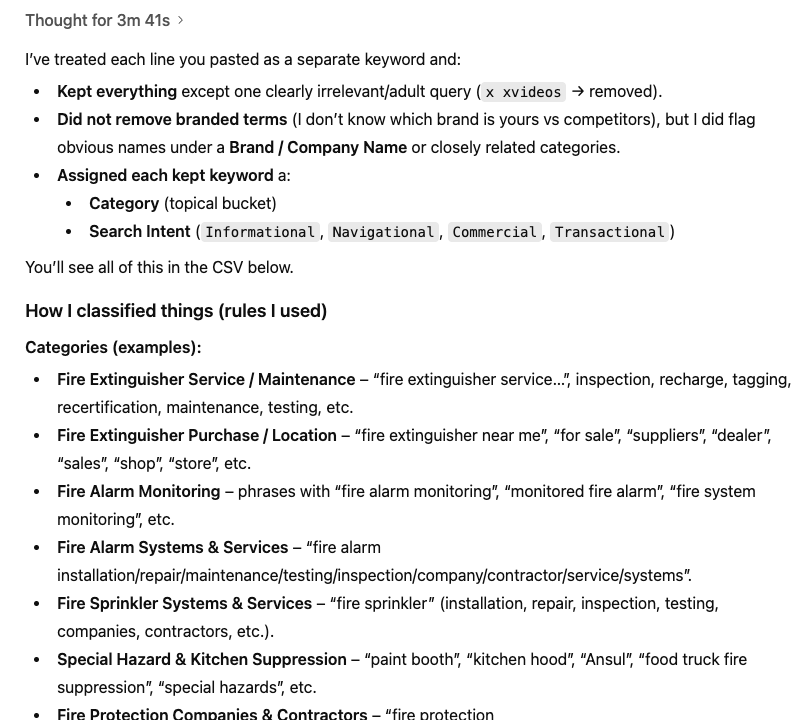
Aimee Peake and Bella Chandler both leaned into keyword research, historically one of the most time-consuming parts of campaign work. Their custom GPTs now handle the first pass of sorting, filtering, and analyzing large sets of search terms. What used to take hours now takes minutes, with cleaner, more focused results.
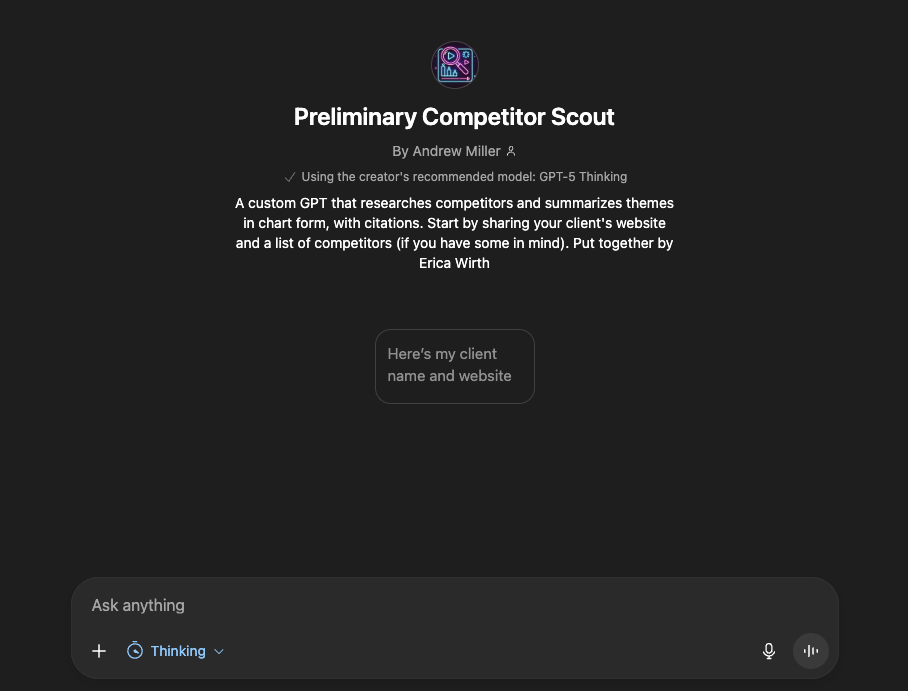
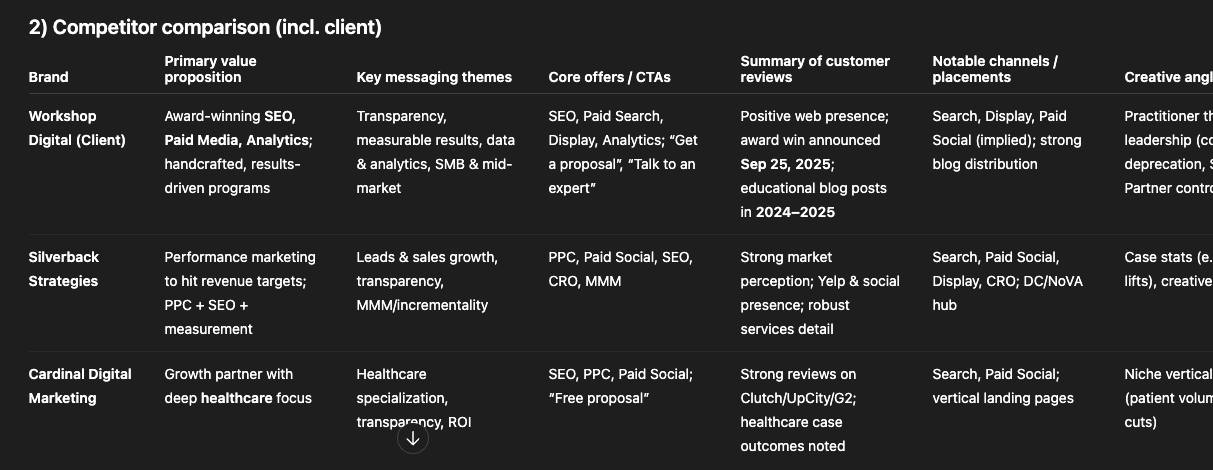
Erica Wirth built a new research-focused workflow built around competitor insights. This Preliminary Competitor Scout custom GPT helps analysts quickly understand how a brand is perceived in the real world, not just in ads. By combining a client’s website with a defined (or auto-generated) competitor list, the tool searches Reddit and Google Reviews to surface patterns in what users actually say about each company. It then organizes everything into a clean SWOT analysis with citations, plus charts that highlight shared themes and gaps.
This kind of insight used to require hours of manual digging (and a ton of tabs). Now, analysts can get a grounded view of competitor strengths, weaknesses, and emerging opportunities in minutes—and use it to sharpen messaging, refine positioning, or even inspire new ad copy. It’s a faster, clearer way to understand where your client truly stands in the market.
And Christine Askew built a simple but effective script that automatically pulls data and emails a performance summary each month. It’s not flashy, but it removes an entire manual step from her monthly reporting cycle… and that’s exactly the kind of workflow improvement that adds up over time.
Each of these projects started from a small, specific problem. Together, they represent a meaningful shift: we’re no longer just using AI tools, we’re building with them.
What We Learned With Our New AI Workflows
Across all of the projects, a few clear patterns emerged: both in terms of impact and experience.
Time savings were immediate. Most people reported that their workflows saved between 30 minutes and two hours each time they used them. In some cases, the time saved wasn’t just in doing a task faster; it was in not having to think about it at all. Automating small but frequent tasks, like pulling performance data or formatting reports, freed up mental space for higher-value analysis and strategy.
Automation and efficiency scores averaged around 4 out of 5, meaning that most projects achieved meaningful automation, even if they weren’t yet “set it and forget it” systems. Several workflows (especially those built in Zapier or Make) now run with minimal manual input. Others, like the custom GPTs, still require some hands-on oversight but have dramatically reduced repetitive work.
Confidence with AI tools rose noticeably. Before this project, many team members said they were curious but unsure about where to start. By the end, the average confidence score jumped to over 4 out of 5. People who described themselves as “intimidated by AI” at the beginning were comfortably discussing prompts, APIs, and data pipelines by the end of the quarter.
There were also common challenges. Tool limitations, inconsistent outputs, and steep learning curves slowed many of us down. A few workflows ran into the boundaries of what’s currently possible — for example, issues with ChatGPT’s CSV file ingestion or missing API access for certain data sources. But nearly everyone said the frustration was offset by the satisfaction of getting something to work and seeing it make a real difference.
In short, the biggest takeaway wasn’t just about automation. It was about learning how to think in systems, identifying bottlenecks, experimenting, and using AI as a genuine collaborator.
Why AI Automation Matters
It’s easy to talk about AI in abstract terms… as a trend, a buzzword, or a future skill. This project made it concrete. Every person on the team now has a direct example of how AI can make their own work faster, more consistent, or more insightful.
The impact shows up in small but important ways. Reporting cycles are shorter. Research is more thorough. Repetitive tasks are easier to hand off to a system that can handle them reliably. But the deeper shift is mindset: instead of asking “Can AI do this?”, we’re now asking “What part of this process should AI do?”
That shift matters for our clients, too. The workflows we built help us respond more quickly to changes, surface better insights, and deliver recommendations backed by more complete data. Some tools are already being used to monitor performance trends, summarize complex datasets, or synthesize research that would have taken hours to compile manually.
It also matters for how we grow as a team. This rock gave everyone hands-on experience with problem-solving through experimentation. People who’d never touched code before learned to debug scripts. Those who were already comfortable with AI found new ways to make it practical for others. The end result isn’t just a set of workflows; it’s a team that’s better equipped to think critically about technology, to test, and to share what they learn.
We didn’t all walk away as automation experts, but we did come away more curious and more confident. And that’s the real win! Building a culture where experimenting with new tools isn’t a side project, it’s part of how we work.
Ready to See How AI Can Work For Your Business?
This project started as a quarterly rock: a stretch goal designed to push us to try something new. It ended up being more than that. We built tools that save time, improve our work, and spark new ideas, but we also built confidence and shared understanding around what’s possible with AI.
We now have a foundation to build on: a set of working examples, shared documentation, and a clearer sense of how AI fits into our roles. The next step is to keep iterating, refining what works, sharing what doesn’t, and helping each other get better at identifying where automation can make a difference.
Most importantly, this quarter reminded us that experimenting together works. When everyone contributes, even small wins add up to real progress.
If you’re curious about how AI can streamline your team’s workflows or enhance the quality and speed of your work, we’d love to share what we’ve learned. Get in touch with us to start a conversation about applying these approaches to your own business.